



Product Overview
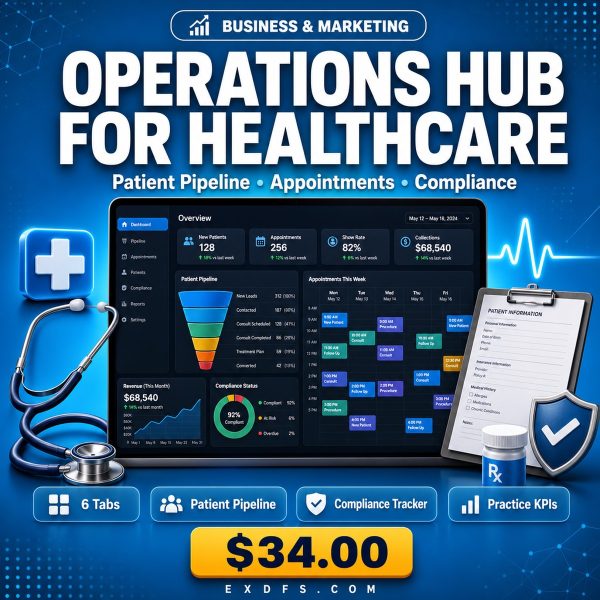
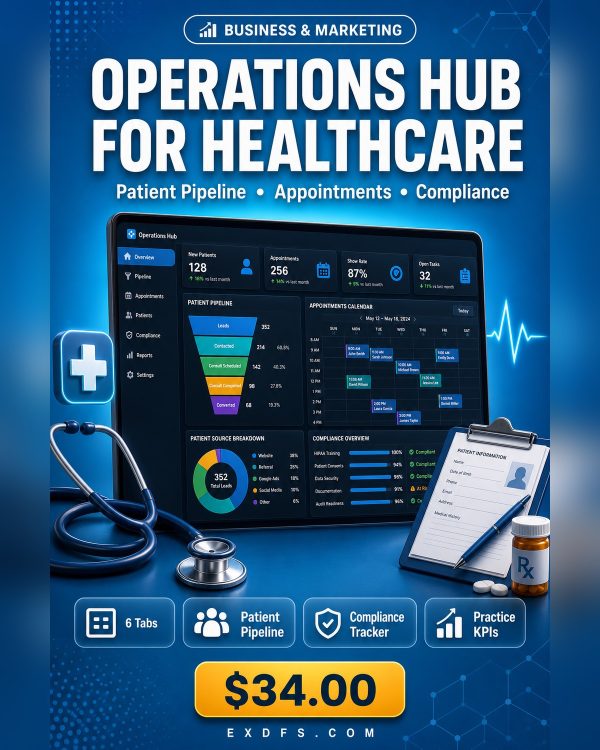
Private practices and medical offices tend to run patient pipelines, appointments and compliance projects across separate notebooks, shared drives and sticky notes, which makes it hard to see the whole operation at a glance. The Operations Hub for Healthcare & Medical puts patient and referral tracking, appointment fill rates, care programs, compliance projects, claims and staff workload into one Excel workbook with formulas and charts already built in.
The workbook uses healthcare-specific terminology and sample data throughout, so a clinic administrator or practice manager can start entering real patients, referrals and compliance tasks immediately instead of relearning a generic business template designed for a different industry.
Key Features
- Patient & Referral Pipeline — track incoming referrals and patient status from first contact through onboarding.
- Appointment & Fill-Rate KPIs — see scheduling gaps and fill rates without exporting anything from your scheduling software.
- Care Program Tracker — monitor active care programs and patient progress in one place.
- Compliance Project Management — keep audits, certifications and compliance deadlines visible instead of scattered across email.
- Claims & A/R Metrics — watch claims status and accounts receivable alongside your other operational numbers.
- Staff Workload Dashboard — see who is over or under capacity at a glance.
- Auto-calculating formulas — expected revenue, budget usage, KPI achievement and margins update as you enter data.
- Visual charts and conditional formatting — line, bar and donut charts plus green, yellow, red status indicators for instant reading.
- Data validation dropdowns — pre-built lists keep pipeline and status entries consistent across your team.
What’s Included
6 files, delivered as one ZIP.
- Product/ — Operations_Hub_for_Healthcare.xlsx (Excel workbook, 6 tabs)
- Bonus/ — Business_Metrics_Cheat_Sheet.txt, SOP_Template.md
- Documentation/ — Quick_Start_Guide.txt, README.txt
- License/ — License.txt
Who This Is For
- Private practice owners — if you are running the business side of the practice with no dedicated operations software.
- Clinic administrators — if you need one dashboard for programs, compliance and staffing instead of three separate files.
- Medical office managers — if you oversee claims, staff schedules and patient flow and need visibility across all three.
- Healthcare startups — if you are building operations from scratch and want a structured starting point.
- Office leads — if you manage referrals, budgets and appointment scheduling day to day.
Why Choose This Product
- Built for healthcare terminology from the start — patient, referral, claims and compliance language is already in place, not adapted from a generic sales pipeline.
- No new software or monthly fees — runs entirely inside Excel, Google Sheets or LibreOffice Calc, tools your office likely already has.
- Formulas and charts are pre-built — you enter data, the dashboard calculates and visualizes it automatically.
- Commercial licence for internal use — use it across your practice and share it with your team.
How To Use
- Unzip the download and read Documentation/Quick_Start_Guide.txt before opening the workbook.
- Open Operations_Hub_for_Healthcare.xlsx in Excel, Google Sheets or LibreOffice Calc and start on the Instructions tab, which explains the sheet guide and color legend.
- Replace the sample data on the pipeline and dashboard tabs with your own records so the formulas and charts start reflecting your real numbers.
- Use the dropdown menus on the pipeline tabs to keep status entries consistent as your team updates the sheet.
- Review the Business_Metrics_Cheat_Sheet.txt and adapt the SOP_Template.md once the dashboard is live, so your team has a documented process for keeping it updated.
Frequently Asked Questions
What format are the files? One ZIP containing 6 files: one Excel workbook (XLSX) with 6 tabs, a bonus KPI cheat sheet and SOP template (TXT and MD), a quick start guide, a README and the licence, both as plain text files.
Can I edit the files? Yes. Every tab, formula, dropdown list and label in the workbook is unlocked and editable, and the bonus text files can be copied into any document editor.
What software do I need? Microsoft Excel 2016 or later gives full feature support; Google Sheets supports most features; LibreOffice Calc 6 or later supports the basic features. No plugins or paid add-ons are required.
Is this for personal or commercial use? Both, within your own organization. The licence permits use in your own business operations and sharing with your team internally. Reselling, redistributing or sharing the file publicly is not permitted.
What is the refund policy? As a digital download the product is non-refundable once it has been downloaded. If a file is missing or corrupted, contact us and we will send a replacement.
Does this replace my practice management or EHR software? No. It is an operations and reporting layer for pipeline, appointments, compliance and staff workload; it works alongside your existing scheduling and records systems rather than replacing them.
Can multiple staff members use the workbook at once? The licence allows sharing with your team internally; if you need simultaneous live editing, upload the file to Google Sheets or a shared Excel Online workbook.
Bonus Materials
Two extras are included at no additional cost: the Business Metrics Cheat Sheet, with more than 25 KPI definitions, formulas and industry benchmarks, and the SOP Template, a reusable format for documenting the processes behind your operations once the dashboard is running. The Business Metrics Cheat Sheet and SOP Template are written to apply directly to a healthcare office setting, so you are not translating generic business jargon into clinical operations language yourself.







Reviews
There are no reviews yet.