





Product Overview
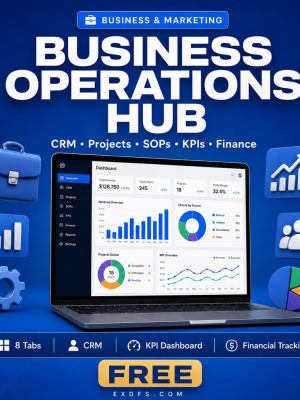
Freelancers rarely lose money because they lack clients. They lose it because pipeline, projects, invoices and hours live in five different places and nothing talks to each other. The Operations Hub for Freelancers & Solopreneurs puts all of it in one Excel workbook, with formulas that update automatically as you fill in data.
This is the freelancer-specific variant of the Operations Hub framework, pre-loaded with terminology, sample data and KPIs built around proposals, retainers, billable hours and subcontractor workload instead of generic corporate metrics, so you can start tracking your real business on day one.
Key Features
- Client & Proposal Pipeline — move leads from first contact to signed contract with stage-by-stage tracking.
- Income & Billable-Hours KPIs — see expected revenue, hours logged and utilisation rate update as you enter data.
- Project & Deadline Tracker — every active project with its due date, status and budget usage in one view.
- Retainer Revenue Monitoring — track recurring client income separately from one-off project fees.
- Invoice Follow-up System — flag overdue invoices before they become a cash-flow problem.
- Subcontractor Workload View — see who is booked and who has capacity if you outsource overflow work.
- Auto-calculating formulas — expected revenue, budget usage, KPI achievement and margins recalculate with no manual entry.
- Visual charts and conditional formatting — built-in line, bar and donut charts plus green/yellow/red status colors for instant reading.
What’s Included
6 files delivered in one ZIP.
- Product/ — Operations_Hub_for_Freelancers.xlsx, a 6-tab workbook including an Instructions tab, a Dashboard tab and dedicated pipeline, project, KPI and income tracking sheets with dropdown menus and conditional formatting built in.
- Bonus/ — Business_Metrics_Cheat_Sheet.txt (25+ KPI definitions with formulas and benchmarks) and SOP_Template.md (a reusable Standard Operating Procedure template).
- Documentation/ — Quick_Start_Guide.txt and README.txt.
- License/ — License.txt.
Who This Is For
- Freelancers who want one file for their whole business instead of scattered notes and spreadsheets.
- Solopreneurs tracking clients, projects and income without hiring an assistant.
- Consultants managing a proposal pipeline and multiple retainer clients at once.
- Creatives balancing billable work against admin time and deadlines.
- Side-hustlers who want professional operations in place from their very first client.
Why Choose This Product
- Built for freelancers, not adapted from a corporate template — the terminology, sample data and KPIs already match how solo businesses actually work.
- No new software or monthly fees — it is a spreadsheet you already know how to open, not another subscription to manage.
- Formulas do the math — revenue, margin and KPI achievement calculate themselves so you spend time on client work, not spreadsheet maintenance.
- Guided from the first tab — the Instructions tab and Quick Start Guide walk you through setup step by step.
How To Use
- Download and unzip the file, then open Documentation/Quick_Start_Guide.txt.
- Open Operations_Hub_for_Freelancers.xlsx and read the Instructions tab for the sheet guide and color legend.
- Replace the sample data with your own clients, proposals and projects using the built-in dropdown menus.
- Check the Dashboard tab weekly to review your KPIs, pipeline and overdue invoices.
- Use the SOP Template to document any recurring process as your business grows.
Frequently Asked Questions
What format are the files? One Excel workbook (.xlsx) plus text and Markdown bonus and documentation files, delivered together in a ZIP.
Can I edit the files? Yes. Every cell, formula and label in the workbook is fully editable so you can adapt it to how your business actually runs.
What software do I need? Microsoft Excel 2016 or later for full feature support. Google Sheets and LibreOffice Calc 6+ also work, with most or basic features supported respectively.
Is this for personal or commercial use? Both. The license allows use in your own business operations and sharing with your team, but not resale or redistribution of the file itself.
What is the refund policy? This is a digital product and is non-refundable once downloaded. If a file is missing or corrupted, contact us and we will send a replacement.
Do I need to keep the sample data? No. The sample rows exist purely to show you how the formulas work; delete them and enter your own clients and projects.
Will the charts update automatically? Yes, the built-in line, bar and donut charts are linked to the data sheets and refresh as you enter new figures.
Bonus
Every purchase includes the Business Metrics Cheat Sheet with more than 25 KPI definitions, formulas and industry benchmarks, plus a ready-to-use SOP Template for documenting any process you want to repeat consistently as you take on more clients.






Reviews
There are no reviews yet.