





You are being paid in a currency you never agreed to be paid in
You quoted a client 110 dollars an hour. Forty hours later the invoice reads 4,400 dollars, payable in ether. The client pays on time by their own reckoning — forty-three days later. The wallet receives exactly the tokens it was promised, worth 3,529.86 dollars. Nobody short-paid you. Nobody made an error. Eight hours of your work simply disappeared between the invoice and the wallet.
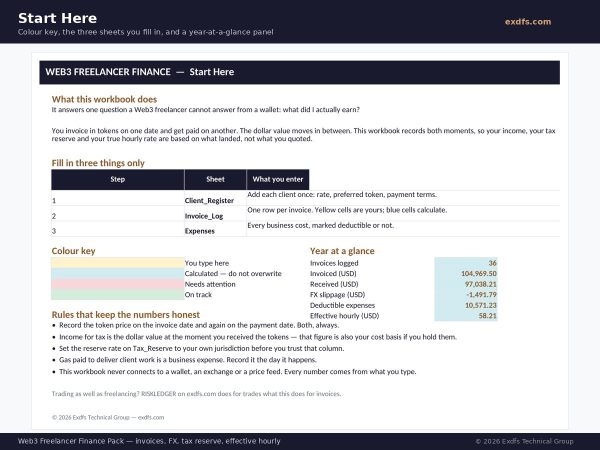
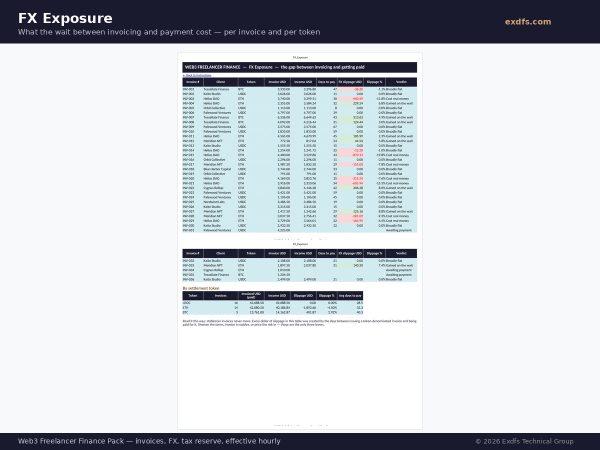
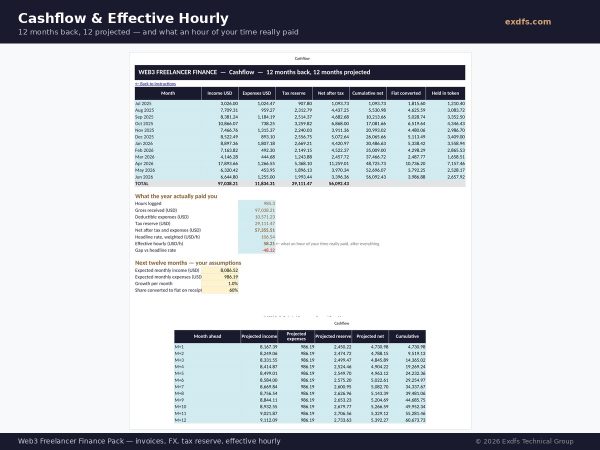
That is one real invoice from the sample year inside this pack. Across the whole year, the freelancer invoiced 104,969.50 dollars, received 97,038.21, and lost 1,491.79 purely to the days between issuing and being paid. Their headline rate was 106.54 dollars an hour. After tax, expenses and slippage, an hour of their time paid 58.21 dollars.
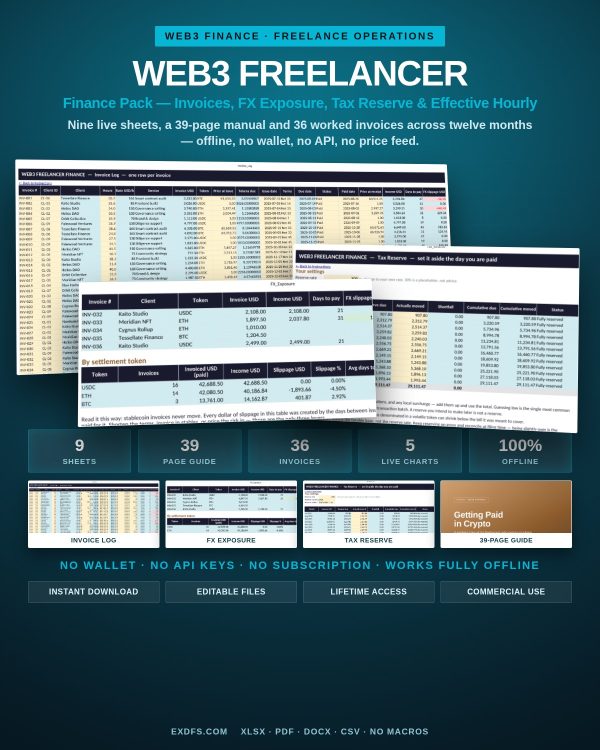
The Web3 Freelancer Finance Pack exists to make that gap visible — and then to close it.
What you get
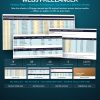
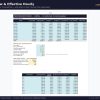
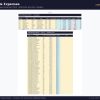
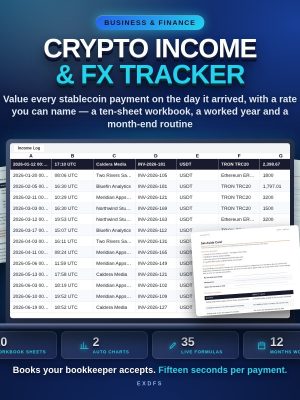
Web3_Freelancer_Finance.xlsx — nine live sheets
- Instructions — colour key, the three sheets you actually fill in, and a year-at-a-glance panel
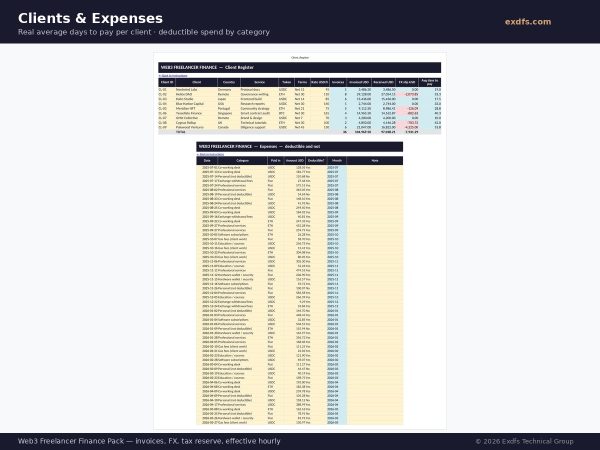
- Client_Register — each client once, with their real measured average days to pay
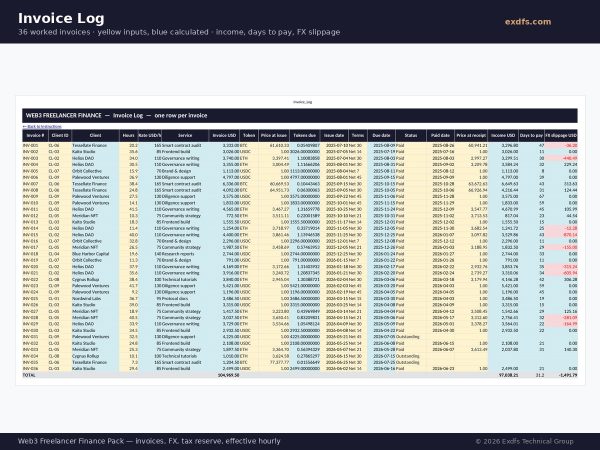
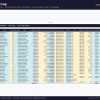
- Invoice_Log — one row per invoice; income, days to pay and FX slippage calculate themselves
- FMV_Payment_Received — the dollar value at receipt: your taxable income and your cost basis in one number
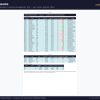
- FX_Exposure — what the wait cost you, per invoice and summarised by settlement token
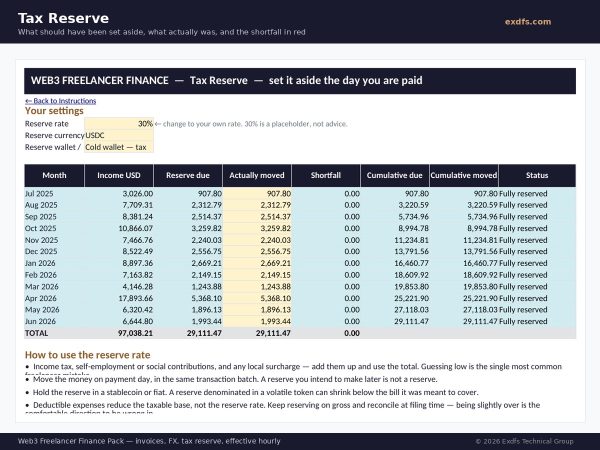
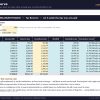
- Tax_Reserve — what should have been set aside each month, what actually was, and the shortfall in red
- Expenses — deductible and non-deductible, summarised by category
- Cashflow — twelve months back, twelve months projected, and your effective hourly rate
- Formula_Documentation — every formula written out in plain language
Five charts, thirty-six worked invoices, seventy-one expenses, and every figure independently recalculated before release.
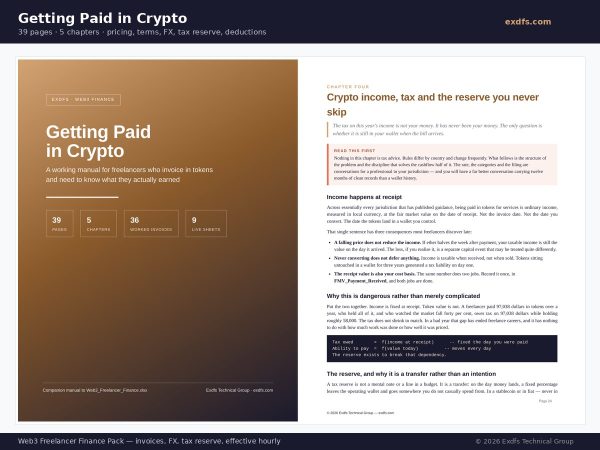
Getting Paid In Crypto — a 39-page manual
- Chapter 1 — pricing in tokens or stablecoins, and the dollar-pegged clause most freelancers never ask for
- Chapter 2 — invoices and payment terms that survive a client with a multisig instead of an accounts payable department
- Chapter 3 — the gap between issuing and being paid: measuring it, shortening it, and when hedging is worth it (usually never)
- Chapter 4 — crypto income, tax and the reserve you move on payment day, every time
- Chapter 5 — deductible expenses, including the four that only exist in Web3, and the paperwork that proves them
- Appendix — metric card and a plain-language glossary
Bonuses and templates
- Crypto_Invoice_Template.docx — an invoice with the four fields normal templates lack: asset, network, rate source and variance clause
- Client_Payment_Terms.pdf — paste-ready settlement, address-change, network-fee and late-payment clauses
- Invoice_Import_Template.csv — the column layout for bringing existing invoices in
- Quick_Start_Guide.pdf — fifteen minutes from download to your first real number
Who it is for
- Developers, writers, designers, researchers and community leads paid in USDC, ETH, BTC or a protocol’s own token
- Anyone invoicing DAOs, protocols or crypto-native studios on Net 14 to Net 45 terms
- Freelancers who have never calculated what an hour of their time actually pays after tax and slippage
- Anyone who has reached filing season without the money set aside to pay the bill
What it deliberately does not do
It does not connect to a wallet, an exchange or a price feed. You enter prices by hand, with a date and a source, because a manual entry you can point to is auditable and a silent API call is not. It does not calculate capital gains on tokens you keep after being paid — that is a different problem with different rules, and CRYPTO TAX TRACKER on exdfs.com is built for it. It is not tax advice; it is the structure and the record-keeping that make your conversation with an accountant short and cheap.
Specifications
- XLSX workbook, 9 sheets, 5 charts, no macros
- PDF manual, 39 pages, bookmarked, with metric card and glossary
- DOCX invoice template, PDF terms document, CSV import template
- Works in Excel 2016+, LibreOffice Calc 7+, and Google Sheets (charts may need re-inserting on import)
- Personal and commercial use. Instant download, lifetime access, no subscription.
Also trading? RISKLEDGER on exdfs.com applies the same measurement discipline to positions instead of invoices.
How to use it
- Open Web3_Freelancer_Finance.xlsx and read the Instructions sheet — it colour-codes every cell you type into.
- Enter your clients in Client_Register, then log an invoice with the token price on the issue date.
- Log the payment with the price on the day it landed; FX slippage, income and days-to-pay fill themselves in.
- Set your reserve rate on Tax_Reserve and move the money the day you are paid.
- Read your effective hourly rate on Cashflow — and reprice accordingly.
Bonus materials included
- Crypto_Invoice_Template.docx — an editable invoice built for token payments, with the price-on-date fields clients accept.
- Client_Payment_Terms.pdf — the payment-terms language that shortens Net 45 to Net 14 without an argument.
Frequently Asked Questions
Does this connect to my wallet or exchange?
No. Nothing in the pack touches a wallet, an exchange, an API or a price feed. You enter prices by hand with a date and a source, which is exactly what makes them defensible later.
I invoice only in USDC. Is this still useful?
Yes, and the FX sheet will honestly report zero slippage for you — which is the point. The tax reserve, deductible expenses, days-to-pay per client, cashflow projection and effective hourly rate all work identically regardless of settlement currency.
Will it calculate my tax bill?
No, and no honest tool would. It calculates what to set aside at a rate you choose, tracks whether you actually set it aside, and gives your accountant a clean twelve-month record. Rates and rules differ by country; chapter four explains how to build your own reserve rate.
What about tokens I hold after being paid, and sell later?
That is a capital event with its own rules, and this pack deliberately stops at the receipt. The cost basis column gives you exactly the input a capital gains tool needs. CRYPTO TAX TRACKER on exdfs.com handles that side.
Does it work in Google Sheets?
Yes for the formulas. Charts sometimes need re-inserting after import, which takes a minute. Excel 2016 or later and LibreOffice Calc 7 or later both open it natively with charts intact.
Are there macros?
None. No macros, no add-ins, no external links. The file opens without a security warning.
Can I use it for client work, or only my own?
Both. The licence covers personal and commercial use, including your clients' data. You may not resell or redistribute the pack itself.
I have two years of invoices already. Can I import them?
Use Invoice_Import_Template.csv for the column layout, then paste into Invoice_Log. You will need the token price on each invoice date and each payment date — historical price pages on any major exchange or data site will give you both.
How long does setup take?
Fifteen minutes to a real effective hourly rate if you have last quarter's invoices to hand. The Quick Start Guide walks through it minute by minute.
What format are the files?
XLSX, PDF, DOCX and CSV. Nothing proprietary, nothing that needs an account.
Is this for personal or commercial use?
Both, including client work. You may not resell or redistribute the pack itself.
What is the refund policy?
See the refund policy published on exdfs.com; digital downloads are covered by the store’s standard terms.
Provided for informational and educational purposes only. Not financial, investment, legal or tax advice. Cryptocurrency markets are volatile; always do your own research and consult a qualified professional.













Reviews
There are no reviews yet.