




Product Overview
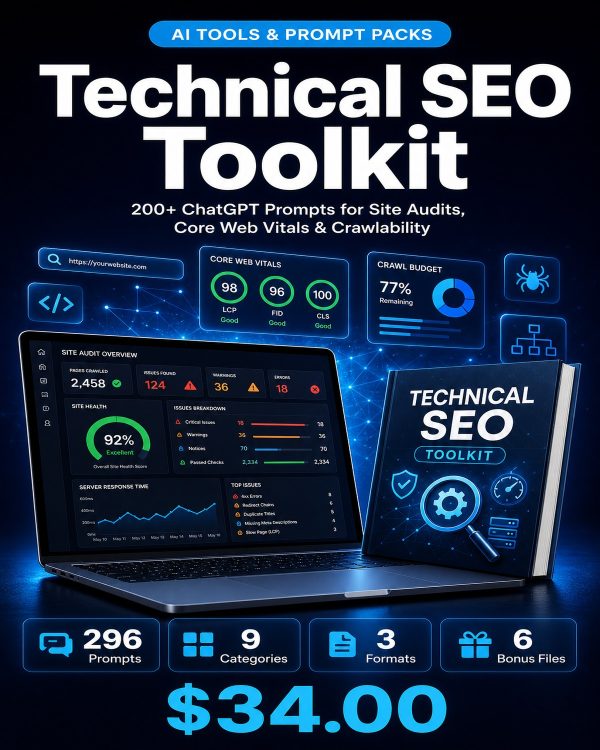
Technical SEO problems rarely announce themselves. A page can rank for months while quietly leaking crawl budget, failing Core Web Vitals, or getting misindexed after a migration, and none of it is visible from the front end. The Technical SEO Toolkit gives you 296 prompts across nine technical categories, so instead of guessing at a diagnosis you can ask a specific, well-formed question and get a usable answer back.
The toolkit covers crawlability and indexation, Core Web Vitals and page speed, mobile SEO, site architecture, structured data, server and hosting configuration, JavaScript rendering, migration and recovery, and full technical audits. It ships as a 94-page PDF guide organized by category, a categorized spreadsheet for filtering by task, and a plain-text file for the fastest copy-paste workflow into any AI assistant.
Key Features
- 296 technical SEO prompts — spanning crawlability, speed, mobile, architecture, schema, servers, JavaScript, migrations, and audits.
- Site Crawlability & Indexation prompts (46) — diagnose robots.txt, sitemap, and indexation issues before they cost rankings.
- Core Web Vitals & Page Speed prompts (46) — get specific fixes for LCP, CLS, and INP problems, not generic speed advice.
- Site Architecture & URL Management prompts (38) — restructure internal linking and URL hierarchy for stronger crawl paths.
- JavaScript SEO & Rendering prompts (26) — troubleshoot content that search engines are not rendering correctly.
- Site Migration & Recovery prompts (26) — plan a domain or platform migration without losing existing rankings.
- Technical SEO Audit & Reporting prompts (28) — turn a technical crawl into a client-ready report.
- Works with any AI assistant — ChatGPT, Claude, Gemini, and Copilot all run the prompts as written.
- Three delivery formats — PDF guide, XLSX spreadsheet, and TXT file for different workflows.
What’s Included
8 customer-facing files across 5 folders (PDF, XLSX, TXT, README, license).
- Product/ — Technical_Seo_Toolkit.pdf, the 94-page main guide with all 296 prompts organized by category.
- Editable/ — Technical_SEO_Prompts_Categorized.xlsx (searchable, filterable spreadsheet) and Technical_SEO_Prompts_Complete.txt (plain text for quick copy-paste).
- Bonus/ — Technical_SEO_Quick_Reference_Card.pdf, Technical_SEO_Checklist.pdf, Technical_SEO_Implementation_Tracker.xlsx.
- Documentation/ — README.txt.
- License/ — License.txt.
Who This Is For
- Technical SEO specialists — who need a faster way to write up findings and next steps for developers.
- Web developers handling SEO alongside builds — translating rankings problems into concrete engineering tasks.
- Agencies running recurring technical audits — standardizing how audits are researched and reported across clients.
- Site owners planning a migration or replatform — who need a checklist-driven approach to protect existing rankings.
- Freelance consultants — billing for technical SEO work who want to move faster without skipping steps.
Why Choose This Product
- Covers the full technical surface — from crawl budget to JavaScript rendering to migrations, not just page speed.
- Prompts are diagnostic, not generic — each one is built around a specific technical symptom rather than a broad “improve my SEO” request.
- Migration and recovery is a dedicated category — most SEO prompt packs skip this entirely, and it is where the highest-risk mistakes happen.
- Commercial license included — use the prompts across your own projects and paid client engagements.
How To Use
- Open Product/Technical_Seo_Toolkit.pdf to browse all 296 prompts by category.
- Identify your specific technical symptom (slow LCP, orphaned pages, rendering gaps) and find the matching prompt.
- Paste the prompt into ChatGPT, Claude, or Gemini, filling in your URL, crawl data, or Core Web Vitals numbers.
- Use Technical_SEO_Prompts_Categorized.xlsx to work through a full site audit category by category.
- Log fixes and re-checks in the Technical_SEO_Implementation_Tracker.xlsx so nothing gets missed after deployment.
Frequently Asked Questions
What format are the files? A ZIP containing one PDF guide, one XLSX spreadsheet, one TXT file of all prompts, two bonus PDFs, one bonus XLSX tracker, a README, and the license.
Can I edit the files? Yes. The XLSX spreadsheet and TXT file are fully editable so you can adjust prompt wording or add your own categories. The PDF guide is reference material.
What software do I need? A PDF reader, a spreadsheet app such as Excel or Google Sheets, and access to an AI assistant like ChatGPT, Claude, or Gemini.
Is this for personal or commercial use? Both. The license covers personal use and commercial use, including client work for agencies and freelance consultants. Reselling or redistributing the prompt files themselves is not permitted.
What is the refund policy? As a digital download the product is non-refundable once downloaded. If a file is missing or corrupted, contact us and we will send a replacement.
Do these prompts require crawl data as input? Many do, so having a recent crawl from a tool such as Screaming Frog or Search Console on hand will get you more accurate answers.
Can this replace a technical SEO audit tool? No, it is a research and reporting companion; you still need a crawler or analytics data, the prompts help you interpret and act on it faster.
Is JavaScript SEO covered for frameworks like React or Vue? Yes, the JavaScript SEO & Rendering category addresses rendering and indexation issues common to modern JS frameworks.
Bonus Materials
Three extras ship with the main toolkit at no additional cost: the Technical SEO Quick Reference Card for the diagnostic prompts you will use most, the Technical SEO Checklist for a manual pre-launch or post-migration pass, and the Technical SEO Implementation Tracker spreadsheet for logging fixes and verifying they held after deployment. Together they extend the prompt pack into a repeatable technical review process.











Reviews
There are no reviews yet.