

Product Overview
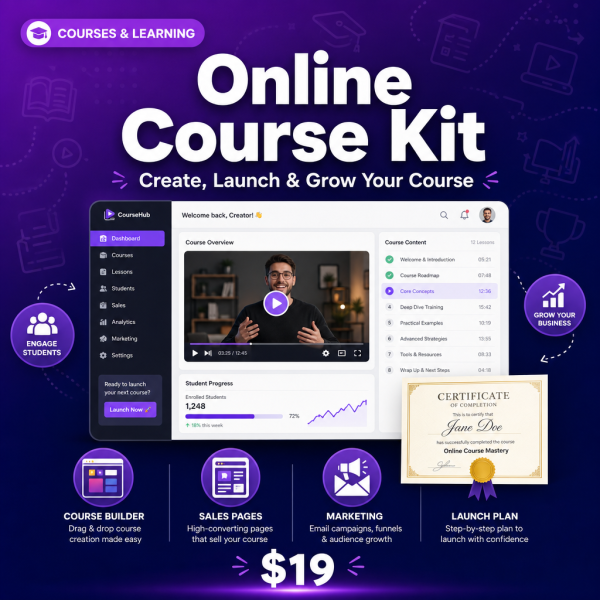
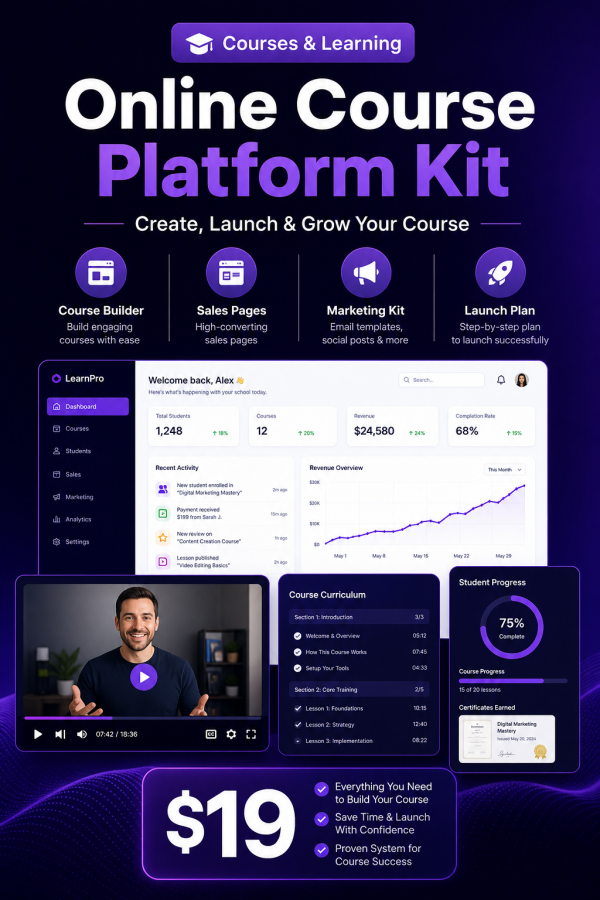
Most first-time course creators get stuck choosing between too many decisions at once: which platform, how to price it, how to structure a curriculum, and how to actually get students to finish. The Online Course Platform Kit breaks the process into four guides — creation, platform setup, marketing and student retention — backed by editable spreadsheets for planning your curriculum and tracking enrollment and progress once students are in.
It works whether you are building your first course or restructuring one that already exists, with a licence that covers commercial course sales.
Key Features
- Course Creation Blueprint — a structured process for turning knowledge into a sellable curriculum.
- Platform Comparison & Tech Setup — how major course platforms compare so you can choose without weeks of research.
- Course Marketing & Sales Playbook — promotion and sales page strategy for getting your first cohort of students.
- Student Engagement & Retention Guide — what keeps students finishing a course instead of dropping off after lesson one.
- Course Curriculum Planner (XLSX) — map modules, lessons and learning outcomes before you record anything.
- Revenue & Enrollment Dashboard (XLSX) — track sign-ups and revenue over time in one place.
- Student Progress Analytics (XLSX) — monitor completion rates so you know where students get stuck.
- Course Pricing Calculator (bonus) — work through pricing options based on your goals and audience size.
- Video Production Starter Guide (bonus) — practical setup tips for recording lessons without professional gear.
What’s Included
12 files, delivered as one ZIP (PDF, XLSX, MD, TXT).
- Product/ — Course_Creation_Blueprint.pdf, Platform_Comparison_Tech_Setup.pdf, Course_Marketing_Sales_Playbook.pdf, Student_Engagement_Retention_Guide.pdf
- Editable/ — Course_Curriculum_Planner.xlsx, Revenue_Enrollment_Dashboard.xlsx, Student_Progress_Analytics.xlsx
- Bonus/ — Course_Pricing_Calculator.pdf, Video_Production_Starter_Guide.pdf
- Documentation/ — Quick_Start_Guide.pdf, README.md
- License/ — License.txt
Who This Is For
- First-time course creators — turning existing expertise into a structured online course.
- Coaches and consultants — who want to package one-on-one knowledge into a scalable product.
- Content creators — moving from free content into a paid course offer.
- Course creators relaunching — who need better retention and completion rates on an existing course.
- Small education businesses — managing multiple courses and needing a shared tracking system.
Why Choose This Product
- Covers the full lifecycle — creation, platform setup, marketing and retention in one kit instead of four separate purchases.
- Platform agnostic — the setup guide compares major platforms so the advice applies wherever you host your course.
- Retention, not just launch — the Student Engagement guide and progress tracker address the part most course resources skip.
- Commercial licence included — use the material to build and sell your own course business.
How To Use
- Unzip the download and open Documentation/Quick_Start_Guide.pdf for an overview of the sequence.
- Plan your curriculum in Course_Curriculum_Planner.xlsx while reading Course_Creation_Blueprint.pdf.
- Compare hosting options in Platform_Comparison_Tech_Setup.pdf and set pricing with Course_Pricing_Calculator.pdf.
- Record lessons using tips from Video_Production_Starter_Guide.pdf, then promote your launch with Course_Marketing_Sales_Playbook.pdf.
- Track enrollment in Revenue_Enrollment_Dashboard.xlsx and monitor completion with Student_Progress_Analytics.xlsx, applying Student_Engagement_Retention_Guide.pdf where students stall.
Frequently Asked Questions
What format are the files? One ZIP with 12 files: six PDF guides and templates, three editable XLSX trackers, plus a README (MD) and licence (TXT).
Can I edit the files? Yes. The three XLSX trackers are fully editable so you can adapt fields to your own course structure. The PDF guides are reference material and are not designed to be edited directly.
What software do I need? A PDF reader and a spreadsheet app such as Excel, Google Sheets or LibreOffice Calc. You will also need a course hosting platform of your choice to publish lessons.
Is this for personal or commercial use? Both. The licence permits personal and commercial use for building and selling your own course. Resale, redistribution and repackaging of the files are not permitted.
What is the refund policy? This is a digital download and is non-refundable once downloaded. If a file is missing or corrupted, contact us and we will send a replacement.
Does this work with Teachable, Kajabi, Udemy or Thinkific? Yes, the Platform Comparison guide compares these and other common platforms so you can apply the strategy on whichever you choose.
Do I need professional video equipment to record my course? No, the Video Production Starter Guide focuses on getting usable results with basic, accessible equipment.
Is this only for brand-new courses, or can I use it to improve an existing one? Both. The retention and marketing guides are equally useful for revising a course that is already live.
Bonus Materials
Two extras are included at no additional cost: the Course Pricing Calculator, which works through pricing scenarios based on your audience and goals, and the Video Production Starter Guide, covering practical setup for recording clear lessons without a studio. Together they remove two of the biggest hesitations that stop creators from finishing their first course.

Reviews
There are no reviews yet.