
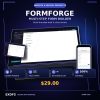







Build Professional Multi-Step Client Intake Forms — Own the Source, Skip the Subscription
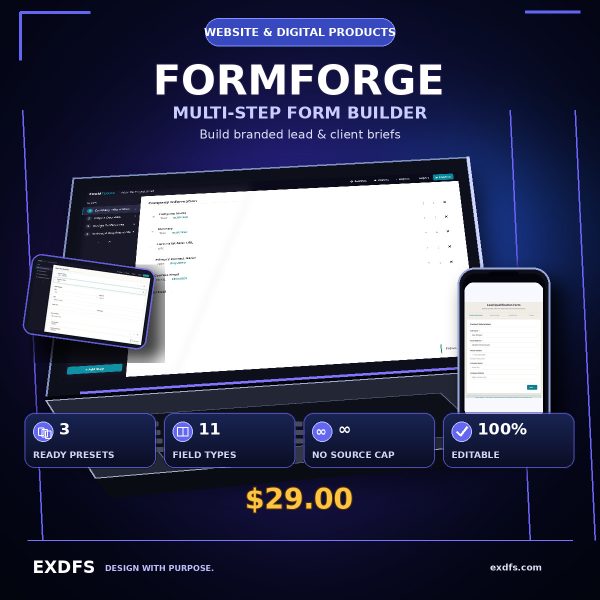
FORMFORGE is a source-owned visual form builder for agencies, studios, developers, consultants, and freelancers who need structured client intake and lead qualification without a hosted-form subscription.
Build branded multi-step forms, preview them live, export responses as JSON or CSV, and deploy on your own hosting. You own the source code and can customize everything.
What’s Included
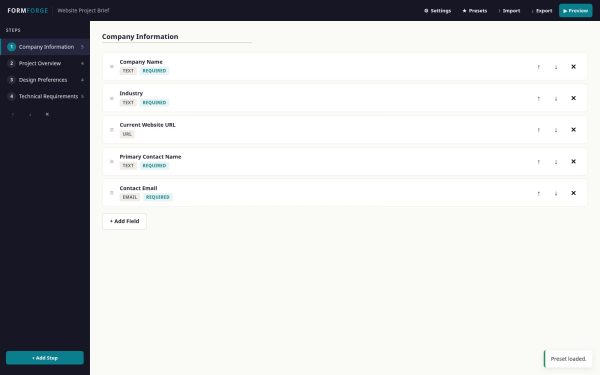
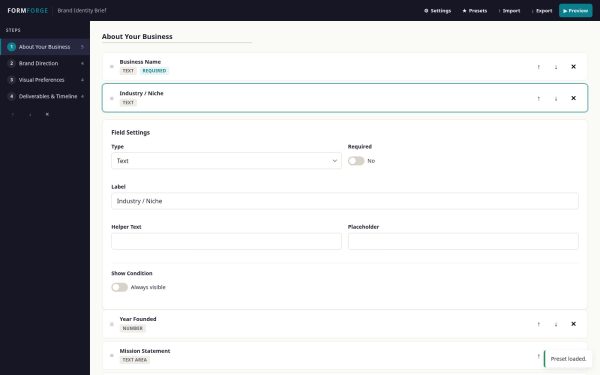
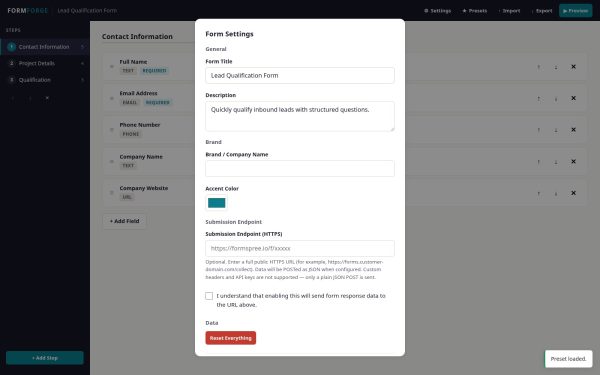
- Visual Form Builder — Add, edit, reorder, and delete steps and fields from a clean interface. No code required for basic use.
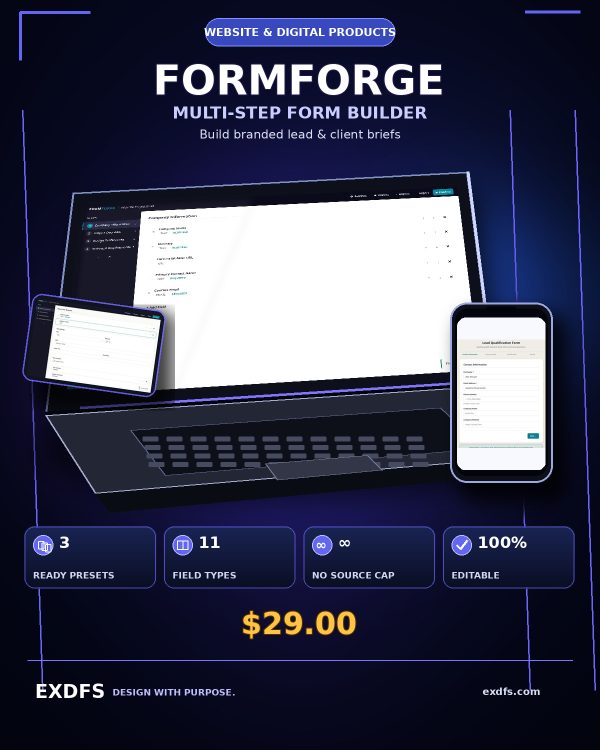
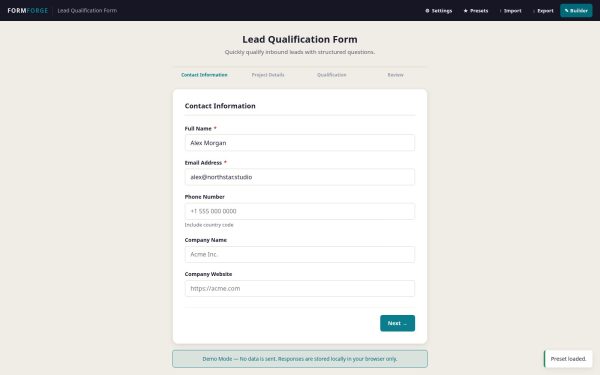
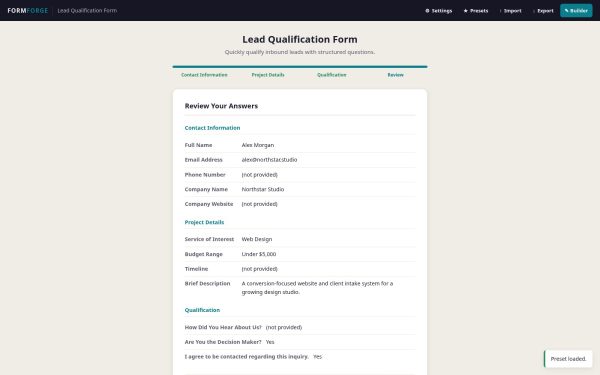
- 3 Agency-Focused Presets — Lead Qualification (3 steps, 12 fields), Website Project Brief (4 steps, 18 fields), and Brand Identity Brief (4 steps, 17 fields). Start immediately or customize to fit your workflow.
- 11 Field Types — Text, email, phone, URL, number, date, textarea, dropdown, radio buttons, checkboxes, and consent. Covers the full range of intake form needs.
- Conditional Field Visibility — Show or hide fields based on a previous answer. Ask follow-up questions only when relevant.
- Progress Bar & Review Step — Respondents see where they are and review all answers before submitting.
- Accessible Validation — Programmatically associated inline errors, visible keyboard focus, labeled controls, and guided focus after validation.
- User-Controlled Local Drafts — Respondents can explicitly save progress on their own device and restore it for up to seven days. Drafts are not silently uploaded.
- JSON & CSV Export — Download completed responses in structured formats. CSV exports include formula-injection protection for safe spreadsheet use.
- Print Summary — Clean, printable view of all responses for filing or sharing as PDF.
- Customizable Branding — Set the form title, description, company name, and accent color from the visual builder.
- Optional HTTPS Endpoint — Connect a customer-controlled public HTTPS endpoint that accepts JSON. It is disabled by default and requires explicit configuration and consent.
- JSON Schema Import/Export — Save, version-control, and share your form configurations as JSON files.
- Editable Source Code — Clean, readable HTML, CSS, and JavaScript. No frameworks, no build tools, no dependencies.
- Complete Documentation — README, Quick Start Guide, Schema Reference, Integration Guide, Security & Privacy notes, Browser Compatibility, and Known Limitations.
- 2 Bonus Resources — Client Intake Question Bank (80+ categorized questions) and Form Launch Checklist (pre-deployment verification guide).
Who This Is For
- Agencies — If you collect project briefs from multiple clients and want a consistent, professional intake process you control.
- Design Studios — If you need structured brand, web, or creative briefs before starting design work.
- Developers — If you want a clean, dependency-free form builder you can inspect, modify, and integrate into your own projects.
- Consultants — If you gather detailed intake data from clients and want to stop chasing missing information via email.
- Freelancers — If you want to look professional from the first client touchpoint with a branded intake form on your own site.
Why Choose FORMFORGE
- One-time license — No monthly subscription or annual renewal for the included version. License scope and update terms are defined in the included license.
- No source-file response meter — FORMFORGE itself does not count responses. Your browser storage, hosting, endpoint, and third-party service limits still apply.
- Own your source — Full, readable HTML/CSS/JS. No obfuscation, no lock-in, no dependency on a third-party platform.
- Local-first by default — No analytics, tracking, or ExDFS-operated collection. In demo mode, answers remain on the device unless the respondent exports them.
How To Use
- Open or host the app — Core demo features run from the included file. Static HTTPS hosting is recommended before sharing with respondents or configuring an endpoint.
- Choose a preset — Select Lead Qualification, Website Project Brief, or Brand Identity Brief, or start from scratch.
- Customize — Edit steps, fields, branding, and settings using the visual builder.
- Deploy — Upload to your hosting and share the URL with clients.
- Collect & export — Export responses as JSON, CSV, or print summary.
Technical Details
- Format: HTML, CSS, JavaScript (single-page application)
- Dependencies: None — zero runtime frameworks or external resources
- Browsers: Current Chromium verified; built with standard browser APIs for current evergreen browsers. Review the included compatibility notes before deployment.
- Responsive: Mobile (360px) through desktop (1440px+)
- Accessibility: Labeled controls, associated validation errors, visible focus, reduced-motion support, and responsive reflow; deployment owners should complete their own assistive-technology review.
- Network: No network requests by default; optional HTTPS endpoint for submissions
FAQ
What format are the files?
The product is a self-contained HTML, CSS, and JavaScript application. Documentation is included in Markdown and PDF; bonuses are included in HTML, Markdown, and PDF.
Can I edit the files?
Yes. The source code is clean, readable, and fully editable. No build tools or frameworks are needed. Customize anything from colors to field types to validation logic.
What software do I need?
A current browser is enough for the local demo. Static HTTPS hosting is recommended for respondent-facing deployment and is normally required for a customer-controlled submission endpoint. No hosted FORMFORGE account is required.
Is this for personal or commercial use?
Both. The license permits personal and commercial use, including using the forms for client projects. See the included license for full terms.
What is the refund policy?
Refund requests are handled under the ExDFS marketplace policy shown at purchase and applicable law, including any displayed review window. For technical issues, visit exdfs.com.
Does this include a backend or database?
No. FORMFORGE is a front-end form builder. To receive submissions on a server, configure your own HTTPS endpoint. The integration guide explains how to connect to webhooks, form backend services, or custom servers.
Is there a limit on responses?
FORMFORGE does not include a response counter or source-file usage tier. Browser storage, hosting, endpoint, and third-party service limits still apply.
Does this work with Formspree, Zapier, or other services?
The product sends standard HTTPS POST with a JSON payload, which is compatible with many services that accept this format. However, we do not claim official compatibility with any specific third-party service. You should test your configuration before deploying.
Bonus Resources
Every purchase includes two practical bonus resources:
- Client Intake Question Bank — 80+ categorized, ready-to-use questions covering contact info, project scope, brand identity, budget, timeline, and more. Copy directly into your FORMFORGE forms.
- Form Launch Checklist — A comprehensive pre-deployment checklist covering structure, validation, branding, accessibility, privacy, exports, browser testing, and deployment. Use before every form launch.











Reviews
There are no reviews yet.