




Product Overview
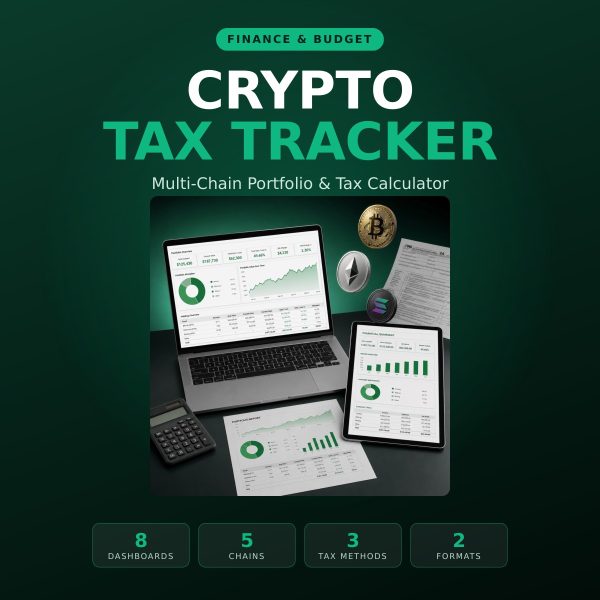
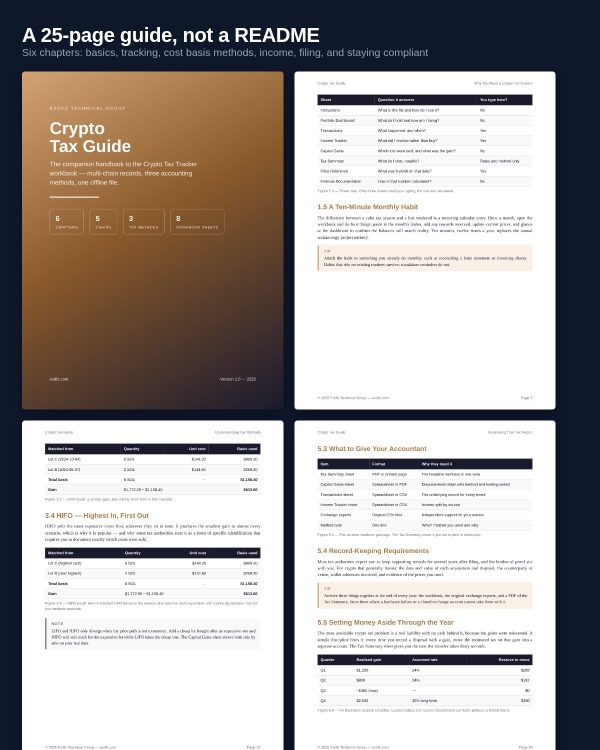
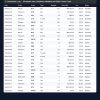
Crypto tax work is not hard — it is just relentless record keeping, and almost nobody keeps the records. The Crypto Tax Tracker is a complete offline system for individual investors, part-time traders and freelancers paid in crypto: an eight-sheet Excel workbook that calculates cost basis, capital gains and income, plus a 25-page guide that explains the reasoning behind every number.
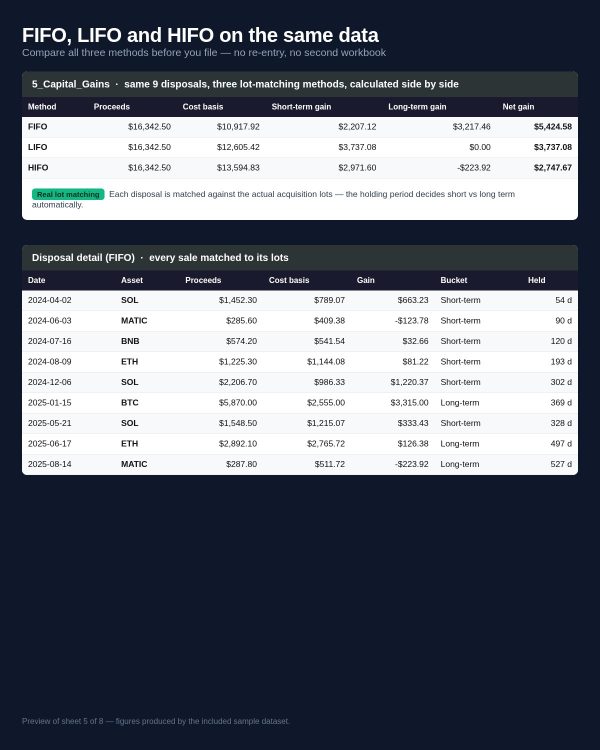
Unlike subscription platforms, everything runs on your own computer. No API keys, no account, no annual renewal, no transaction data handed to a third party. And unlike the basic spreadsheets sold elsewhere, this one contains a genuine lot-matching engine: FIFO, LIFO and HIFO are all calculated from the same transactions so you can see the difference before you commit to a method.
Key Features
- ✔ Three tax methods, calculated side by side — FIFO, LIFO and HIFO on the same data, so you choose with evidence instead of guesswork.
- ✔ Real lot matching, not averages — every disposal is matched against specific acquisition lots, with an alert if a sale cannot be fully matched.
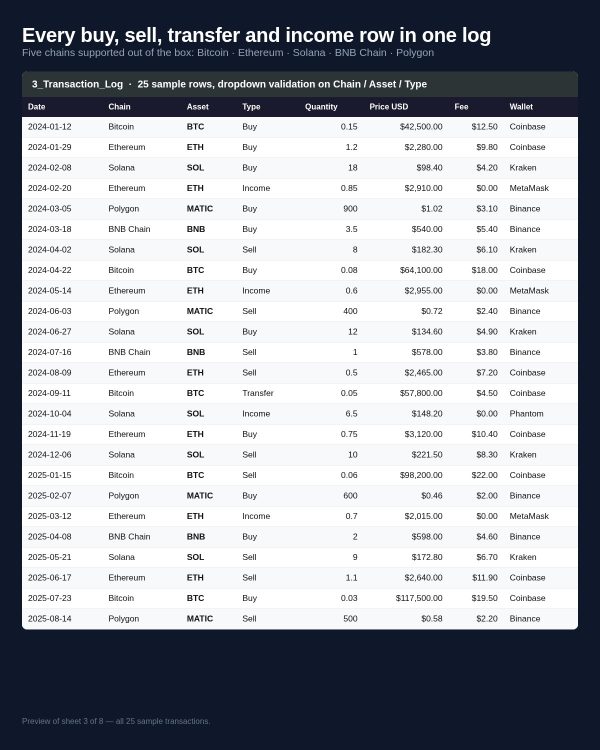
- ✔ Five chains out of the box — Bitcoin, Ethereum, Solana, BNB Chain and Polygon, with dropdown validation so entries stay consistent.
- ✔ Short-term vs long-term split — holding periods are calculated per disposal against the 365-day threshold.
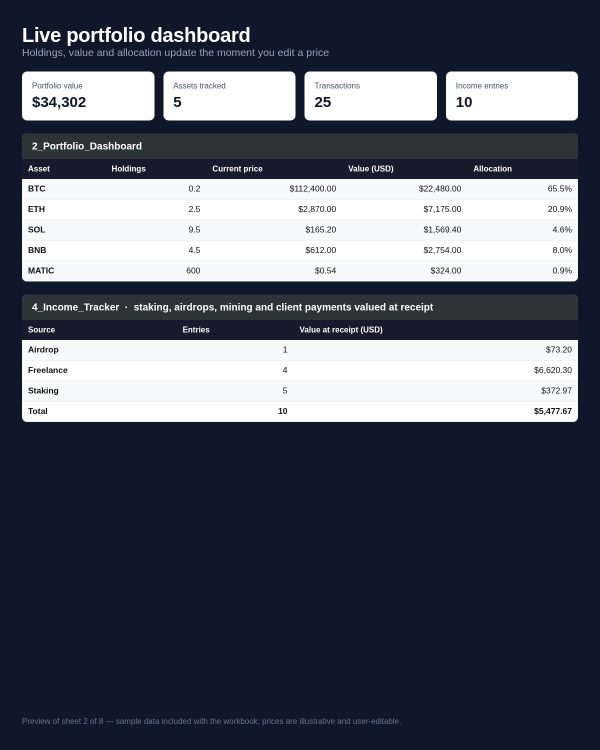
- ✔ Income tracked separately — staking, airdrops, mining and freelance payments totalled by source, the way an accountant asks for them.
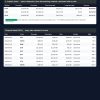
- ✔ Live portfolio dashboard — four KPI cards and three auto-updating charts covering allocation, capital over time and gains by asset.
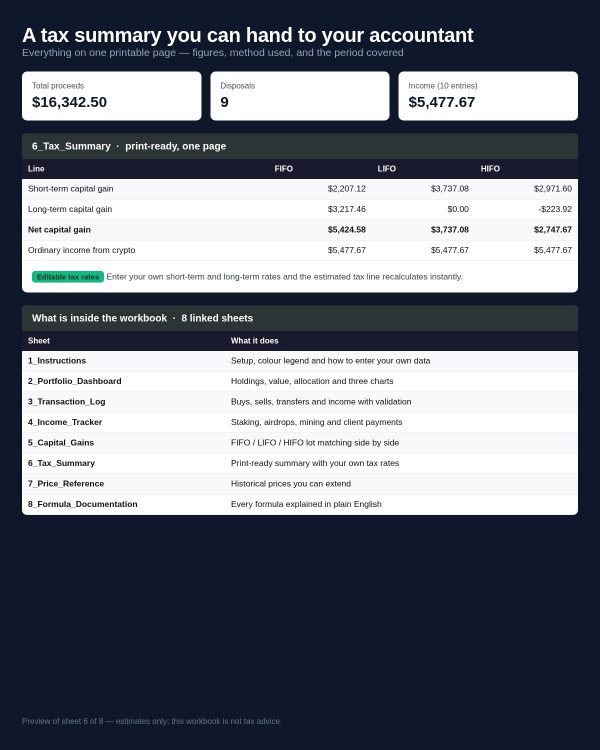
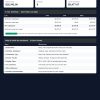
- ✔ Print-ready tax summary — landscape, pre-set print area, ready to hand over or file with your records.
- ✔ Every formula documented — a dedicated sheet explains each calculation, its inputs, its rounding and its edge cases.
- ✔ Realistic sample data included — 25 transactions and 10 income entries telling one coherent story, so you can see the whole system working before you touch it.
- ✔ Works offline, forever — one purchase, no subscription, no data sharing.
What’s Included
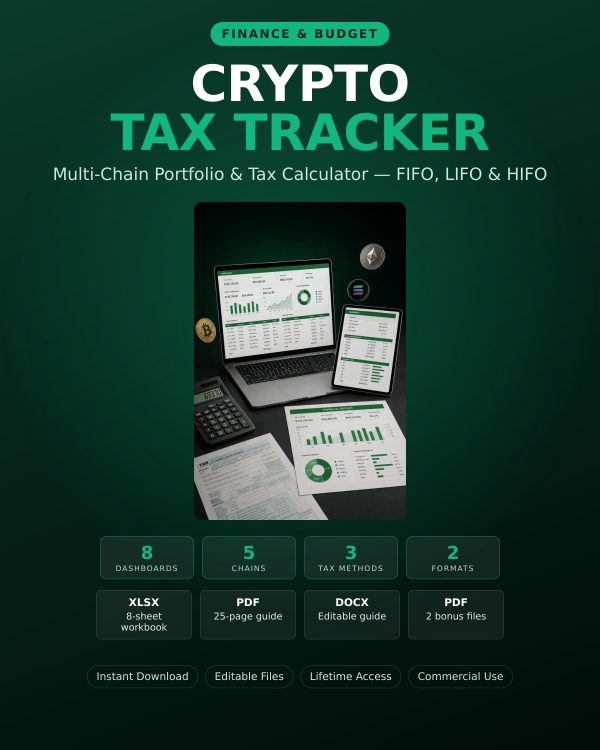
- Crypto_Tax_Tracker.xlsx — the main workbook: Instructions, Portfolio Dashboard, Transactions, Income Tracker, Capital Gains, Tax Summary, Price Reference and Formula Documentation (8 sheets, 3 charts, 5 chains, 3 tax methods).
- Crypto_Tax_Guide.pdf — 25-page companion guide, 6 chapters, with worked FIFO/LIFO/HIFO examples, decision flows and comparison tables.
- Crypto_Tax_Guide_Editable.docx — editable copy of the guide for your own notes.
- Crypto_Tax_Checklist.pdf (bonus) — 2-page year-end checklist: gather, reconcile, calculate, report, archive.
- Tax_Terms_Glossary.pdf (bonus) — 66 crypto tax terms in plain English.
- Quick_Start_Guide.pdf — up and running in about ten minutes.
- README.md and License.txt — file guide and personal + commercial use terms.
- 7 files, 3 formats (XLSX, PDF, DOCX).
Who This Is For
- If you invest in crypto part-time and want a defensible record without an annual subscription.
- If you trade on the side across a few exchanges and need lot-level gain calculations.
- If you freelance and get paid in crypto and need income and capital gains separated cleanly.
- If you earn staking or airdrop rewards that quietly accumulate all year.
- If you are a digital nomad keeping records across borders and want everything in one portable file.
- If you work with an accountant and want to hand over an organised file instead of a folder of CSVs.
Why Choose This Product
- One payment instead of an annual fee. Subscription trackers charge every year for the same job.
- Your data never leaves your machine. No API keys, no uploads, no third-party account.
- Nothing is hidden. Every formula is visible and documented — you can check the arithmetic yourself.
- Deeper than the cheap templates. Most spreadsheets on other marketplaces cover one chain and one method; this covers five chains and three methods with a real matching engine.
How To Use
- Open Crypto_Tax_Tracker.xlsx in Excel 2019+, Microsoft 365, Google Sheets or LibreOffice Calc.
- Enter current prices on the Price Reference sheet.
- Replace the sample rows on Transactions and Income Tracker with your own activity, using the dropdowns.
- Set your tax year, accounting method and rates on Tax Summary.
- Read your results on Capital Gains and Portfolio Dashboard, then print the Tax Summary for your accountant.
FAQ
What format are the files? One XLSX workbook, four PDFs, one editable DOCX, plus a README and licence in text. Everything downloads as a single ZIP.
Can I edit the files? Yes. The workbook’s input cells are unlocked and formula cells are protected with an empty password, so you can unlock and extend anything. The guide also ships as an editable DOCX.
What software do I need? Microsoft Excel 2019 or newer, Microsoft 365, Google Sheets, or LibreOffice Calc 7+. Any PDF reader for the guides. No internet connection required.
Is this for personal or commercial use? Both. You may use it for your own records and inside your business, including for client work. You may not resell or redistribute the files themselves. Full terms are in License.txt.
What is the refund policy? Because this is a digital download, all sales are final. If you hit a technical problem, contact us through exdfs.com and we will help.
Does it connect to my exchange automatically? No, and that is deliberate. You export your history as CSV and paste it in, which keeps your API keys out of circulation. The guide includes a step-by-step manual import walkthrough.
Which countries does it work for? The workbook is jurisdiction-neutral: you enter your own tax rates and choose your own accounting method. It does not fill in country-specific tax forms, and it is not a substitute for professional advice.
How many transactions can it handle? The sheets are set up for several hundred transactions per year, which covers most individual investors and freelancers. Very high-frequency traders will want an automated importer instead.
Does it work in Google Sheets? Yes. Only functions supported by both Excel and Google Sheets are used — no dynamic-array-only formulas.
Bonus Materials
Two extra files are included at no additional cost. The Crypto Tax Year-End Checklist is a printable 2-page routine that walks you through gathering, reconciling, calculating, reporting and archiving — the exact sequence that turns a stressful weekend into an hour of work. The Crypto Tax Terms Glossary explains 66 terms you will meet in exchange exports and accountant emails, from cost basis and disposal to impermanent loss and soulbound tokens.
Important Disclaimer
This product is an educational record-keeping tool. It is not financial, investment, legal or tax advice, and it does not guarantee compliance with the rules of any jurisdiction. Tax rules differ by country and change over time. All figures in the sample data and guide are illustrative. Confirm your position with a qualified tax professional before filing.
Read the guide
How to Track Crypto Taxes with FIFO, LIFO and HIFO in 2026 — the full method this tracker implements. See also The Complete Web3 Career System.















Kevin Moor (verified owner) –
A Practical and Well-Organized Crypto Tax Tracker
I purchased the Crypto Tax Tracker because I wanted a simpler way to organize my crypto transactions and understand my gains and losses without subscribing to another expensive tax platform.
Overall, I was pleasantly surprised by how complete the package was. The Excel tracker is the main part of the product, but I also received a 25-page crypto tax guide, an editable Word version of the guide, a year-end tax checklist, a crypto tax terms glossary, and a quick-start guide. Everything was clearly organized into separate files.
I particularly liked that the spreadsheet supports **FIFO, LIFO, and HIFO** methods and includes separate sections for transactions, income, capital gains, tax summary, and portfolio information. The instructions and examples also make it much easier to understand how the workbook is supposed to be used.
The purchasing experience was also very smooth. I paid with cryptocurrency completely online, and the payment process was straightforward and convenient. **Immediately after completing the payment, the download link appeared**, with unlimited downloading available, and I was able to download the complete package without any difficulty.
I also appreciate that the product clearly states that it is an educational record-keeping tool rather than professional tax advice. That makes the purpose of the product clear and avoids giving the impression that it replaces a tax professional.
For someone who wants an offline crypto tax tracking system and prefers owning a spreadsheet rather than paying for another monthly subscription, I think this is a useful and well-prepared product.