


Product Overview
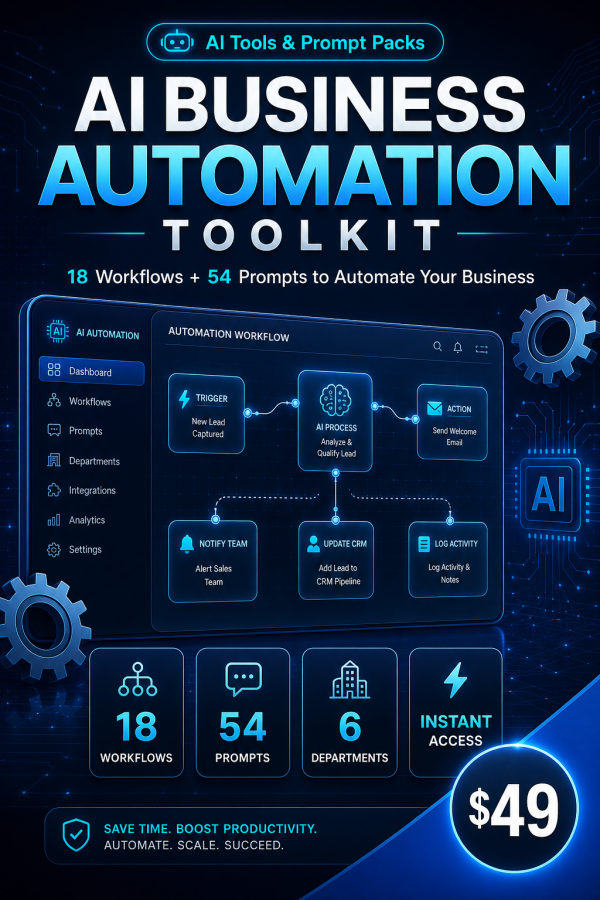
Most AI advice for business owners stops at “use ChatGPT for this.” The AI Business Automation Toolkit goes further: 18 step-by-step workflow blueprints and 54 ready-to-use prompts covering the six areas that eat most of a business’s week — email, social media, customer service, sales, HR and content creation — plus a working spreadsheet that turns your time savings into real numbers.
It is built for business owners and small teams who know AI could help but have never been handed a system: which tasks to automate first, which prompts actually work, and how to keep a human in control of what goes out the door.
Key Features
- 18 step-by-step workflow blueprints — complete systems for inbox triage, content calendars, support macros, proposal production, hiring pipelines and more, not vague advice.
- 54 ready-to-use prompts — each with when-to-use guidance, expected output, and a customization tip.
- Automation Planner spreadsheet — score your own tasks by time cost and impact so you know exactly what to automate first.
- Live ROI Calculator — working Excel formulas that turn hours saved into a dollar figure you can report on.
- The Draft-Review-Send safety pattern — every blueprint keeps a human on the send button, with rules for when it is safe to loosen that control.
- 30-day rollout plan — a realistic path from reading the guide to running installed workflows at roughly two hours a week.
- Works with any major AI assistant — ChatGPT, Claude or Gemini, free tiers included, no coding required.
- 3 bonus guides — a readiness checklist, a prompt-writing formula, and an honest lean AI tool-stack guide.
What’s Included
9 files, delivered as one ZIP (PDF, XLSX and TXT).
- Product/ — AI_Business_Automation_Toolkit_Guide.pdf (the 18 blueprints, 54 prompts, metrics and rollout plan) and Automation_Planner_And_ROI_Calculator.xlsx (task inventory, priority scoring and live ROI dashboard).
- Editable/ — All_54_Prompts_Copy_Paste.txt, every prompt in plain text ready to paste into your AI assistant.
- Bonus/ — Bonus_AI_Automation_Readiness_Checklist.pdf, Bonus_Lean_AI_Tool_Stack_Guide.pdf, and Bonus_Prompt_Formula_Guide.pdf.
- Documentation/ — Quick_Start_Guide.pdf and README.md.
- License/ — License.txt, the full usage terms.
Who This Is For
- Business owners — who are the bottleneck for email, content and follow-ups and need that pattern-work handed to AI.
- Solo operators and freelancers — whose admin time competes directly with billable hours.
- Marketers — who need consistent content and social output without hiring another person.
- Support and operations leads — whose teams answer the same questions week after week.
- Sales professionals — who lose call time to CRM updates and proposal writing.
- HR managers — whose hiring paperwork is slowing down hiring decisions.
Why Choose This Product
- Systems, not prompt dumps — a thousand loose prompts are less useful than nine good ones wired into an actual workflow, which is what each blueprint delivers.
- Safety built in — every blueprint keeps a person reviewing output before it goes to a customer, client or the public.
- Measured, not guessed — the ROI calculator makes savings visible so you know which automations are working and which to drop.
- Tool-agnostic — built on prompting fundamentals that hold up across model updates, not features tied to one app.
How To Use
- Unzip the download and open Documentation/Quick_Start_Guide.pdf.
- Complete the Automation Inventory in Automation_Planner_And_ROI_Calculator.xlsx to find your biggest time leak.
- Open the matching chapter in the main guide and implement Blueprint 1 for that area.
- Copy the linked prompts from All_54_Prompts_Copy_Paste.txt into your AI assistant and follow the Draft-Review-Send pattern.
- Log the time saved in the ROI Calculator each week and add a new blueprint as the 30-day rollout plan suggests.
Frequently Asked Questions
What format are the files? A ZIP containing PDF guides, one Excel (XLSX) planner, one plain-text (TXT) prompt file, a README and the licence, nine files in total.
Can I edit the files? Yes. The Excel planner and ROI calculator are fully editable, and the TXT prompt file is plain text you can adapt freely. The PDF guides are reference material and not meant to be edited.
What software do I need? A PDF reader, a spreadsheet app that opens XLSX files, and any AI assistant such as ChatGPT, Claude or Gemini. No paid plan or plugin is required.
Is this for personal or commercial use? Yes, the licence permits both personal use and use in your business operations, including client-facing work. Reselling or redistributing the files themselves is not permitted.
What is the refund policy? As a digital download the product is non-refundable once it has been downloaded. If a file is missing or corrupted, contact support and it will be replaced.
Do I need to implement all 18 blueprints at once? No. The 30-day rollout plan is built around implementing one or two blueprints at a time, roughly two hours a week.
Does this replace hiring a virtual assistant? Not entirely. It removes the repetitive drafting work; a human still reviews and sends everything, which the Draft-Review-Send pattern is built around.
Will the ROI Calculator work without editing formulas? Yes. You enter your own time and task figures into the existing sheets; the formulas and dashboard update automatically.
Bonus
Three bonus guides are included at no extra cost: the AI Automation Readiness Checklist for setup and monthly maintenance, the Prompt Formula Guide for writing your own prompts once the included 54 are not enough, and the Lean AI Tool Stack Guide, an honest breakdown of what is worth paying for at $0, $20 to $40, and $50 to $150 a month.






Reviews
There are no reviews yet.