

Product Overview
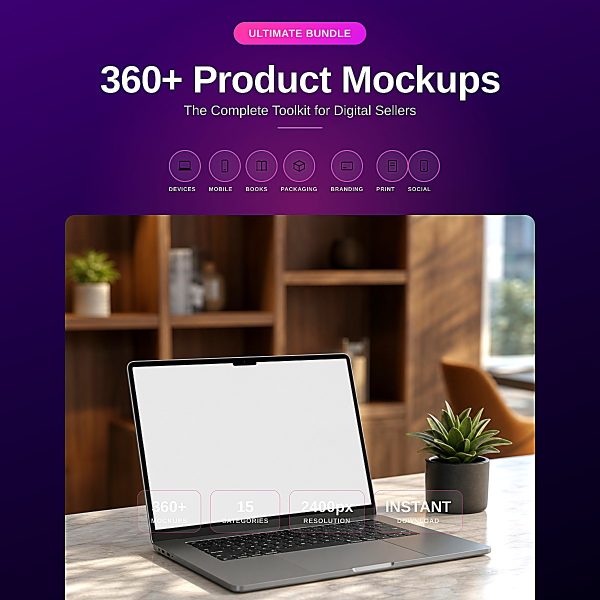
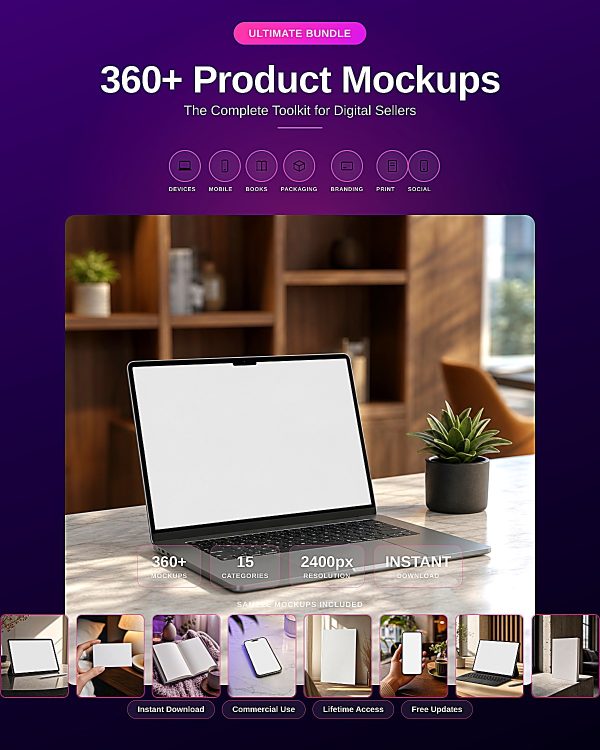
A plain white product screenshot does not sell a digital product the way a styled scene does, and hiring a photographer for every listing image is not realistic when you sell across 15 different formats. The Digital Product Mockup Ultimate Bundle solves this with 360 photorealistic, ready-to-use mockup scenes covering laptops, phones, tablets, books, packaging, business cards, posters and social media frames.
Every scene is a professionally lit JPG image with a clean, neutral screen or surface so you can drop in your own screenshot, cover, or artwork using the included Screen Placement Guide. The result is a full year of fresh, cohesive listing and social images without a single photoshoot.
Key Features
- 360 unique mockup scenes — 24 distinct images in each of 15 categories, so you never repeat the same look twice in a row.
- 15 categories covered — Laptop, MacBook, iPad, iPhone, Android, Hardcover Book, Paperback, eBook Reader, Magazine, Box, Packaging, Business Card, Poster, Social Media Scene, and Bonus Scene.
- 2400×2400px, 300 DPI JPG files — sharp enough for full-bleed marketplace listings, print ads, and large social graphics.
- Photorealistic, professionally lit scenes — not flat clipart, so your listings stand out against generic stock templates.
- Screen Placement Guide — a clear, repeatable method for compositing your own screenshots or artwork into every scene.
- Works with free and paid software — Photopea, Adobe Photoshop, and Canva all handle the compositing without specialized plugins.
- Consistent lighting and styling across all 360 images, so your full product gallery reads as one cohesive brand.
- Two bonus PDF guides — ready-to-use social media captions and a coordinated color palette reference.
- Commercial use included — sell products, take on client work, and use the scenes across your own marketing.
What’s Included
367 files, delivered as one ZIP.
- Product/ — 360 mockup images (JPG, 2400×2400px, 300 DPI), 24 each across Laptop, MacBook, iPad, iPhone, Android, Hardcover Book, Paperback, eBook Reader, Magazine, Box, Packaging, Business Card, Poster, Social Media Scene, and Bonus Scene, plus Screen_Placement_Guide.pdf.
- Editable/ — Editable_Files_Note.txt, explaining the compositing workflow for the flat JPG scenes.
- Bonus/ — Social_Media_Caption_Ideas.pdf (ready-to-use captions) and Color_Palette_Reference.pdf (coordinated color palettes).
- Documentation/ — README.md and Quick_Start_Guide.pdf.
- License/ — License.txt.
Who This Is For
- Etsy, Gumroad, and Shopify sellers who need better listing images than a plain screenshot.
- Course creators, authors, and planner designers who want their product preview to look as premium as the product itself.
- Sellers of physical goods — books, boxed items, packaging, posters — who want realistic product photography without a shoot.
- Social media managers who need a steady supply of fresh, on-brand visuals across every scene type.
- Freelance designers producing listing images for multiple clients across different product categories.
Why Choose This Product
- Genuinely 15 categories, 24 scenes each — the bundle covers nearly every digital and physical product type in one purchase, not a handful of categories padded with near-duplicates.
- 2400×2400px resolution holds up for both marketplace thumbnails and large-format print or social graphics.
- Screen Placement Guide included — most mockup packs leave you to figure out compositing on your own; this one walks you through it step by step.
- No specialized software required — the free Photopea editor works exactly like Photoshop for this workflow.
- Commercial licence included — use the scenes in paid client work and your own product sales.
How To Use
- Unzip the download and open Documentation/README.md, then Documentation/Quick_Start_Guide.pdf.
- Open the Screen_Placement_Guide.pdf in Product/ to learn the compositing method used across all 360 scenes.
- Open your chosen mockup JPG in Photopea, Photoshop, or Canva and place your screenshot, cover, or artwork on the marked screen or surface area.
- Adjust perspective and blending as shown in the guide, then export your finished listing or social image.
- Reuse the Color_Palette_Reference.pdf and Social_Media_Caption_Ideas.pdf to keep your marketing visuals and captions consistent.
Frequently Asked Questions
What format are the files? 360 JPG mockup images at 2400×2400px, 300 DPI, plus PDF guides, a README, a licence text file, and an editable-files note, all in one ZIP.
Can I edit the files? The mockup images are flat JPG scenes designed for compositing your own artwork on top in an editor; they are not layered PSD files. The Editable_Files_Note.txt explains this workflow in detail.
What software do I need? Photopea (free, browser-based), Adobe Photoshop, or Canva. Any of the three can composite your artwork into the scenes using the included guide.
Is this for personal or commercial use? Both. The licence covers personal and commercial use, including compositing your own screenshots or artwork and using the results in client work. Resale or redistribution of the mockup files themselves is not permitted.
What is the refund policy? As a digital download the product is non-refundable once downloaded. If a file is missing or corrupted, contact us and we will replace it.
Are these layered PSD mockup templates? No, they are finished JPG scenes with a clean surface for compositing; there is no PSD smart-object file in this bundle.
How many total images do I get? 360 unique mockup scenes, 24 in each of the 15 categories, plus supporting PDF guides.
Can I use these for a client’s Etsy or Gumroad listings? Yes, the commercial licence covers client work as well as your own listings.
Bonus Materials
Two bonus PDFs are included at no extra cost: the Social Media Caption Ideas guide with 30 ready-to-use captions for promoting your products, and the Color Palette Reference with five coordinated palettes for keeping your listing and social graphics visually consistent across every scene you use.

Reviews
There are no reviews yet.