

Product Overview
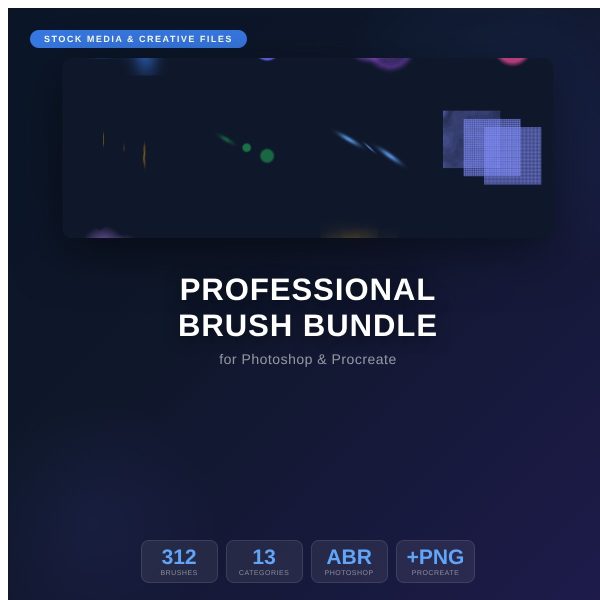
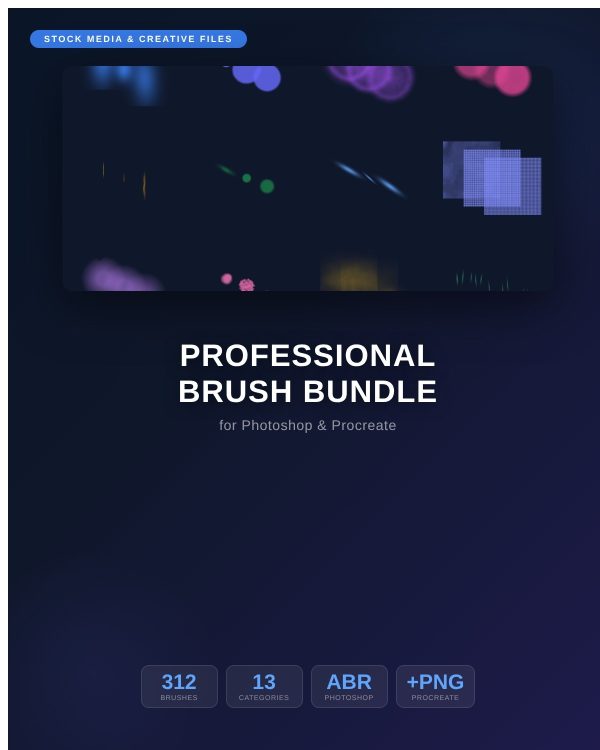
Building a reliable brush library one download at a time wastes hours and leaves you with mismatched sets that behave differently in every app. The Professional Brush Bundle for Photoshop & Procreate replaces that patchwork with one coherent library: 312 handcrafted brushes across 13 categories, delivered in three formats so the same brush works whether you paint in Photoshop, sketch on an iPad, or work in GIMP, Affinity Photo, Clip Studio Paint, or Krita.
Each category — Pencil, Ink, Watercolor, Gouache, Oil, Marker, Calligraphy, Texture, Grunge, Stipple, Charcoal, Dry Brush, and Eraser — ships as its own ABR file for Photoshop CC 2015 and later and its own Brushset for Procreate 5+, plus 24 individual PNG stamps per category for any other application. The result is one organized set you install once and reuse on every project.
Key Features
- 312 handcrafted brushes spanning 13 categories, from technical pencil work to expressive oil painting.
- 13 ABR files — one per category, ready to load directly into Adobe Photoshop CC 2015 and later.
- 13 Procreate brushsets — one per category, ready to import into Procreate 5 or newer on iPad.
- 312 PNG stamps — universal format that works in GIMP, Affinity Photo, Clip Studio Paint, Krita, and any app that supports custom stamps or brushes.
- 500×500px high-resolution brush tips that hold up under close zoom and large-format printing.
- Consistent, professional naming so you can find the right texture or stroke without guessing.
- Optimized spacing and pressure response tuned per category for natural, controllable strokes.
- Quick Start Guide (PDF) with installation steps for Photoshop, Procreate, and PNG-based applications.
- Preview Catalog (PDF) showing every brush stroke before you install anything.
- Commercial License (PDF) covering client work, print products, and unlimited personal projects.
What’s Included
341 files in one ZIP, organized into three folders plus two root guides.
- Photoshop/ — 13 ABR files, one per brush category (01_Pencil.abr through 13_Eraser.abr).
- Procreate/ — 13 Brushset files, one per category, sized for direct import into Procreate.
- PNG_Stamps/ — 312 individual PNG brush stamps, organized into 13 category subfolders with 24 stamps each.
- Quick_Start_Guide.pdf — installation instructions for Photoshop, Procreate, and PNG workflows.
- Preview_Catalog.pdf — a full visual reference of every brush stroke in the bundle.
- License.pdf — the commercial license covering personal and business use.
Who This Is For
- Digital illustrators who want one dependable brush set instead of a dozen half-used free packs.
- Concept artists who need texture and blending brushes that hold up at production resolution.
- Graphic designers adding hand-drawn texture to posters, packaging, and social graphics.
- Procreate users on iPad who want the same brush behavior they get in desktop Photoshop.
- GIMP, Affinity, Clip Studio Paint, and Krita users who need brushes outside the Adobe ecosystem.
- Hobbyist artists building their first serious digital toolkit without buying separate packs per app.
Why Choose This Product
- Three formats, one purchase — most brush packs lock you into a single app; this bundle covers Photoshop, Procreate, and everything else with PNG stamps.
- Genuinely organized — 13 clearly named categories with 24 brushes each, so you spend time creating instead of scrolling through an unlabeled panel.
- Production-ready resolution — 500×500px tips stay crisp at print size, not just on screen.
- Commercial license included — use the brushes in paid client work and sellable artwork without a separate add-on license.
How To Use
- Unzip the download and open Quick_Start_Guide.pdf for app-specific install steps.
- In Photoshop, choose a category and load its ABR file from the Photoshop/ folder through the Brushes panel.
- On iPad, import the matching Brushset from the Procreate/ folder into your Procreate brush library.
- In GIMP, Affinity Photo, Clip Studio Paint, Krita, or any other app, load individual PNG stamps from PNG_Stamps/ as custom brush tips.
- Browse Preview_Catalog.pdf first if you want to pick specific brushes before installing a whole category.
Frequently Asked Questions
What format are the files? A ZIP containing 13 ABR files for Photoshop, 13 Brushset files for Procreate, 312 PNG stamps, and PDF guides for setup, preview, and licensing.
Can I edit the files? The brush files themselves are ready to use as-is; the PNG stamps can be recolored, resized, or combined freely inside any image editor.
What software do I need? Adobe Photoshop CC 2015 or later for the ABR files, Procreate 5 or later on iPad for the brushsets, or any app that supports custom PNG stamps, such as GIMP, Affinity Photo, Clip Studio Paint, or Krita.
Is this for personal or commercial use? Both. The included license permits personal and commercial use, including client and paid work. Resale or redistribution of the brush files themselves is not permitted.
What is the refund policy? As a digital download, this product is non-refundable once downloaded. If any file is missing or corrupted, contact us and we will send a replacement.
Will these brushes work on an older version of Photoshop? The ABR files are built for Photoshop CC 2015 and later; earlier versions may not read the format correctly, so use the PNG stamps as a fallback.
Do I need all three formats, or just one? No — install only the format for the app you use. Many customers only ever open the Photoshop or Procreate folder.
How is the download delivered? You receive a link to the full ZIP package containing all 341 files described above.
Bonus
Every purchase includes the Preview Catalog, a full visual reference showing every one of the 312 brush strokes before you install a single file, plus the Quick Start Guide with copy-paste-simple install steps for Photoshop, Procreate, and PNG-based apps. Together they turn a 341-file download into a five-minute setup.


Reviews
There are no reviews yet.