

Product Overview
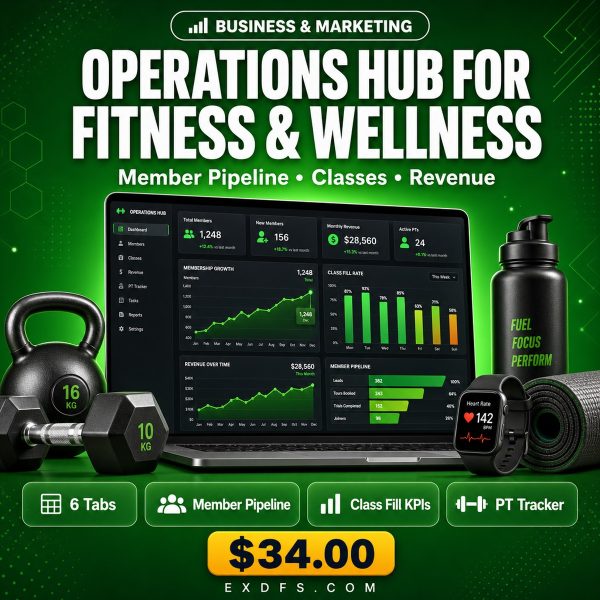
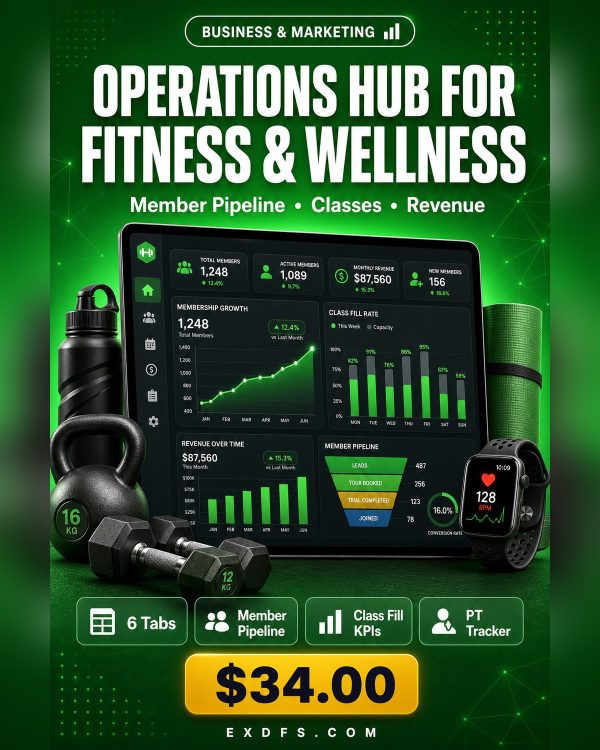
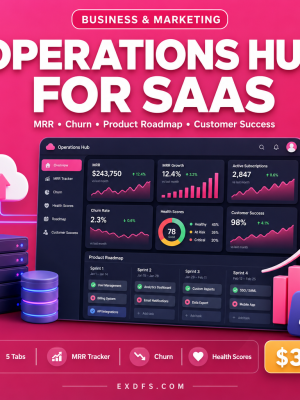
Gyms and studios lose members quietly: a trial that never follows up, a class that keeps running half-empty, an instructor overbooked while another sits idle. The Operations Hub for Fitness & Wellness puts your member pipeline, class schedule and revenue tracking in one Excel workbook with formulas that update as you work.
This is the fitness-specific variant of the Operations Hub framework, pre-built with terminology, sample data and KPIs for trials, retention, class fill rates and personal training revenue instead of generic business metrics, so it fits how a studio actually runs from the first open.
Key Features
- Member & Trial Pipeline — track every prospect from trial signup to paid membership.
- Retention & Churn KPIs — see member retention rate and churn update automatically as you log status changes.
- Class Fill-Rate Tracking — spot underbooked classes before they get cancelled for low attendance.
- Program & Challenge Tracker — monitor enrollment and completion for challenges and specialty programs.
- PT Revenue Dashboard — see personal training session revenue separately from membership dues.
- Instructor Workload View — see who is fully booked and who has room for more classes or clients.
- Auto-calculating formulas — expected revenue, budget usage, KPI achievement and margins recalculate with no manual entry.
- Visual charts and conditional formatting — built-in line, bar and donut charts plus green/yellow/red status colors for instant reading.
What’s Included
6 files delivered in one ZIP.
- Product/ — Operations_Hub_for_Fitness.xlsx, a 6-tab workbook including an Instructions tab, a Dashboard tab with KPI overview and dedicated member, class and revenue tracking sheets with dropdown menus and conditional formatting built in.
- Bonus/ — Business_Metrics_Cheat_Sheet.txt (25+ KPI definitions with formulas and benchmarks) and SOP_Template.md (a reusable Standard Operating Procedure template).
- Documentation/ — Quick_Start_Guide.txt and README.txt.
- License/ — License.txt.
Who This Is For
- Gym and studio owners tracking members and revenue in one place.
- Studio managers running class schedules and instructor rosters.
- Personal training leads monitoring session utilization and PT revenue.
- Wellness entrepreneurs launching programs and challenges and tracking enrollment.
- Front-desk leads converting trials into paying members.
Why Choose This Product
- Built for fitness businesses, not adapted from a generic template — trials, retention and class metrics are already set up in the right terminology.
- No new software or monthly fees — it runs in the spreadsheet program you already use.
- Formulas do the math — retention rate, class fill rate and revenue calculate themselves instead of being tallied by hand.
- Guided from the first tab — the Instructions tab and Quick Start Guide walk you through setup step by step.
How To Use
- Download and unzip the file, then open Documentation/Quick_Start_Guide.txt.
- Open Operations_Hub_for_Fitness.xlsx and read the Instructions tab for the sheet guide and color legend.
- Replace the sample data with your own members, trials and class schedule using the built-in dropdown menus.
- Check the Dashboard tab weekly to review retention, class fill rates and instructor workload.
- Use the SOP Template to document any recurring front-desk or onboarding process.
Frequently Asked Questions
What format are the files? One Excel workbook (.xlsx) plus text and Markdown bonus and documentation files, delivered together in a ZIP.
Can I edit the files? Yes. Every cell, formula and label in the workbook is fully editable so you can adapt it to your studio’s setup.
What software do I need? Microsoft Excel 2016 or later for full feature support. Google Sheets and LibreOffice Calc 6+ also work, with most or basic features supported respectively.
Is this for personal or commercial use? Both. The license allows use in your own business operations and sharing with your team, but not resale or redistribution of the file itself.
What is the refund policy? This is a digital product and is non-refundable once downloaded. If a file is missing or corrupted, contact us and we will send a replacement.
Can I track multiple class types and instructors? Yes, the class and instructor sheets are built as rows so you can add as many classes and instructors as your studio runs.
Does it handle billing or payment processing? No. It tracks members, classes and revenue figures, but does not process payments; it works alongside your existing billing system.
Bonus
Every purchase includes the Business Metrics Cheat Sheet with more than 25 KPI definitions, formulas and industry benchmarks, plus a ready-to-use SOP Template for documenting onboarding, trial follow-up or any other process you want your front desk to run consistently.









Reviews
There are no reviews yet.