

Product Overview
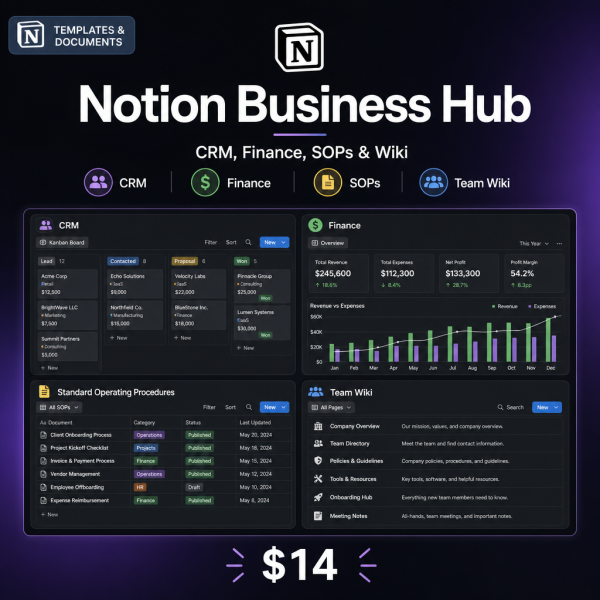
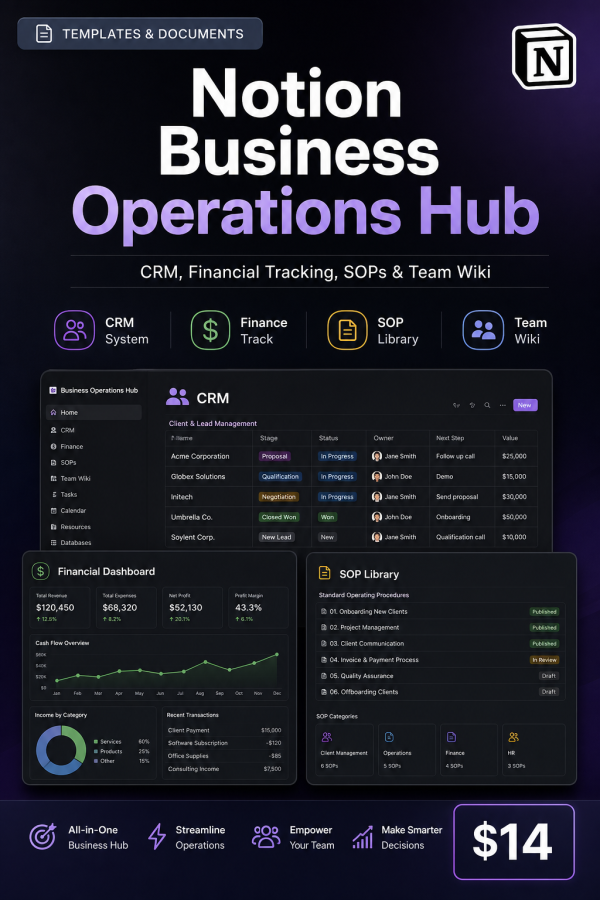
Running a small business often means CRM data in one tool, finances in a spreadsheet, and procedures that only live in someone’s head. The Notion Business Operations Hub brings those pieces together with guides for a Business Operations Dashboard, Client & Project Management, Financial Tracking & Reporting, and a Team Wiki & SOP Builder.
Three editable spreadsheets give you a working client pipeline tracker, an operations metrics dashboard and an SOP documentation template you can start filling in immediately. It is written for founders and small teams who want their operations documented in one place instead of scattered across tools and memory.
Key Features
- Business Operations Dashboard guide for structuring your core operational view.
- Client & Project Management guide covering pipelines, deliverables and deadlines.
- Financial Tracking & Reporting guide for income, expenses and invoicing structure.
- Team Wiki & SOP Builder guide for documenting recurring procedures.
- Client Pipeline Tracker (XLSX) for managing deals and contacts.
- Operations Metrics Dashboard (XLSX) for tracking key business numbers.
- SOP Documentation Template (XLSX) for writing procedures your team can follow.
- Bonus Meeting & Decision Log System for recording decisions and action items.
- Bonus Quarterly Business Review template for structured quarterly planning.
What’s Included
12 files, delivered as one ZIP (PDF, XLSX, MD, TXT). The hub is delivered as PDF guides and editable XLSX planners you set up yourself; it is not a pre-built, one-click Notion import file.
- Product/ — Business_Operations_Dashboard.pdf, Client_Project_Management.pdf, Financial_Tracking_Reporting.pdf, Team_Wiki_SOP_Builder.pdf
- Editable/ — Client_Pipeline_Tracker.xlsx, Operations_Metrics_Dashboard.xlsx, SOP_Documentation_Template.xlsx
- Bonus/ — Meeting_Decision_Log_System.pdf, Quarterly_Business_Review.pdf
- Documentation/ — Quick_Start_Guide.pdf, README.md
- License/ — License.txt
Who This Is For
- Small business owners replacing scattered tools with one documented system.
- Founders building their first CRM and financial process without hiring an ops person.
- Teams needing a shared SOP library so procedures do not live in one person’s head.
- Consultants and agencies managing multiple client projects at once.
- Operations managers setting up quarterly review and decision-tracking routines.
Why Choose This Product
- Covers four operational areas together — CRM, finance, SOPs and project management, rather than one narrow tool.
- Editable trackers included — the client pipeline, metrics dashboard and SOP template are ready to fill in right away.
- Built for teams — the licence explicitly allows duplicating the system for your team’s own workspace.
- Decision and review structure included — the bonus meeting log and quarterly review keep the system accountable over time.
How To Use
- Open Documentation/Quick_Start_Guide.pdf to see how the four guides connect.
- Read Business_Operations_Dashboard.pdf, then set up Operations_Metrics_Dashboard.xlsx with your key numbers.
- Build your CRM using Client_Project_Management.pdf and Client_Pipeline_Tracker.xlsx.
- Document procedures with Team_Wiki_SOP_Builder.pdf and SOP_Documentation_Template.xlsx.
- Track finances with Financial_Tracking_Reporting.pdf, then run quarterly reviews using the bonus templates.
Frequently Asked Questions
What format are the files? One ZIP with 12 files: seven PDF guides, three editable XLSX tools, a README (MD) and the licence (TXT).
Can I edit the files? Yes, the three XLSX tools are fully editable and unlocked. The PDF guides are formatted for reading and are not designed for text editing.
What software do I need? A PDF reader and a spreadsheet app such as Excel, Google Sheets or LibreOffice Calc. Using the concepts inside a Notion workspace is optional, not required.
Is this for personal or commercial use? Both. The licence permits personal and commercial use, including duplicating the system for your team’s workspace. Resale, redistribution and repackaging are not permitted.
What is the refund policy? As a digital download, the product is non-refundable once downloaded. If a file is missing or corrupted, contact us and we will send a replacement.
Is this a ready-made Notion template I can import directly? No, this is a guided build kit of PDF instructions and editable XLSX planners; you build the structure yourself using the guides, which makes it easy to adapt to your own workflow.
Can multiple team members use this? Yes, the licence allows you to duplicate the system for your team’s own workspace.
Does this cover invoicing and expense tracking? Yes, the Financial Tracking & Reporting guide covers income, expenses and invoicing structure.
Bonus Materials
Two bonus resources are included: the Meeting & Decision Log System, for recording decisions and action items so nothing gets lost between meetings, and the Quarterly Business Review template, a structured format for reviewing performance and setting goals each quarter.






Reviews
There are no reviews yet.