

Product Overview
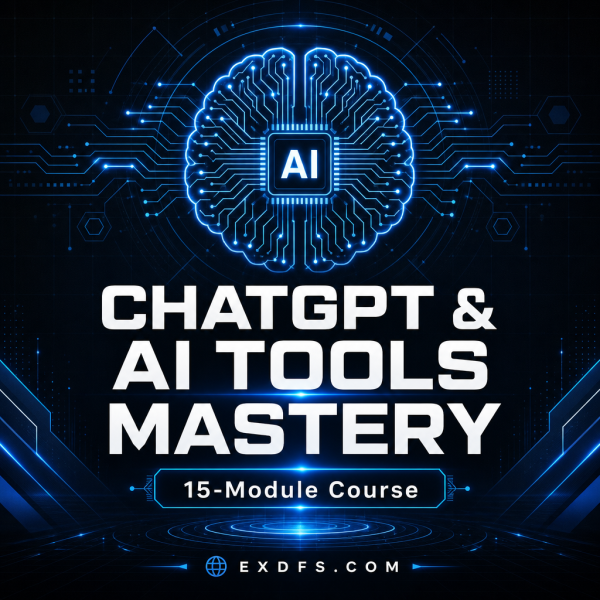
Most people use ChatGPT for a handful of one-off questions and never get past that. The ChatGPT & AI Tools Mastery Course is built to close that gap with a structured, 15-module, 60-lesson curriculum covering prompt engineering, research, writing, marketing, coding, and day-to-day business automation.
Each lesson follows the same format: detailed teaching content, a prompt template you can copy into ChatGPT immediately, a hands-on exercise, and key takeaways to reinforce what changed in your workflow. The course is delivered as a fully designed PDF for reading and a matching DOCX for anyone who wants to copy prompts directly or add personal notes inline.
Key Features
- 15 modules and 60 lessons — a full curriculum from foundational prompting through advanced automation, not a handful of tips.
- Prompt template in every lesson — copy-ready wording you can paste straight into ChatGPT, Claude, or Gemini and adapt.
- Hands-on exercises — each lesson ends with a task, so the course builds a habit instead of just information.
- Prompt Library Starter Kit — an Excel file with 20+ categorized prompts you can reuse without rereading the lessons.
- Editable DOCX version — copy prompts directly into your own documents or add notes as you work through the material.
- 30-Day AI Mastery Challenge — a structured follow-up routine that keeps you applying the material after you finish reading.
- Covers multiple AI tools — techniques apply to ChatGPT, Claude, Gemini, Midjourney, and DALL-E, not a single vendor’s interface.
- Quick Start Guide — a short PDF pointing you to the right file and the right first step.
What’s Included
6 files delivered in one ZIP (PDF, DOCX, XLSX, TXT).
- Course/ — ChatGPT_AI_Tools_Mastery_Course.pdf, the complete 15-module, 60-lesson course, professionally designed.
- Editable/ — ChatGPT_AI_Tools_Mastery_Course.docx, the same course content in an editable Word file for copying prompts and adding your own notes.
- Bonus/ — Prompt_Library_Starter_Kit.xlsx, 20+ categorized prompt templates in a spreadsheet.
- Documentation/ — Quick_Start_Guide.pdf and README.txt.
- License/ — License.txt.
Who This Is For
- Professionals using ChatGPT casually — if your results are inconsistent and you want a repeatable method.
- Freelancers and entrepreneurs — who want AI to take over repetitive writing, research, and admin work.
- Teams introducing AI tools — who need a shared, structured reference instead of scattered tips from different sources.
- Career switchers into AI-adjacent roles — who want a broad, practical grounding before specializing further.
- Anyone who has tried ChatGPT and quit — because the output was mediocre and they did not know how to fix the prompt.
Why Choose This Product
- Structured, not scattered — 15 modules in a deliberate order beat a feed of disconnected tips from social media.
- Templates plus explanation — every prompt comes with the reasoning behind it, so you can adapt it instead of only copying it.
- Built-in practice — the exercises and 30-day challenge push you to apply each lesson before moving to the next.
- Editable format included — the DOCX version means the prompt library becomes a living document you keep customizing.
How To Use
- Unzip the download and open Documentation/Quick_Start_Guide.pdf for a five-minute orientation.
- Read Course/ChatGPT_AI_Tools_Mastery_Course.pdf module by module, or open the DOCX version if you plan to copy prompts as you go.
- Complete the hands-on exercise at the end of each lesson before moving to the next module.
- Keep Bonus/Prompt_Library_Starter_Kit.xlsx open in a second window for quick prompt lookup once you finish the course.
- Start the 30-Day AI Mastery Challenge described near the end of the course to build the habit past day one.
Frequently Asked Questions
What format are the files? The course is a designed PDF and a matching editable DOCX, plus an XLSX prompt library, a PDF quick start guide, and text files for the README and license.
Can I edit the files? Yes, the DOCX version of the course and the XLSX prompt library are fully editable, so you can add notes or reorganize prompts however you like.
What software do I need? A PDF reader, Microsoft Word or Google Docs for the DOCX file, and Excel, Google Sheets, or Numbers for the prompt library.
Is this for personal or commercial use? The license covers personal and professional use by the original purchaser, including applying the material at work. It does not permit reselling, redistributing, or sharing the files themselves with other people.
What is the refund policy? As a digital product delivered instantly on download, it is non-refundable once downloaded. If a file arrives corrupted, contact support for a free replacement.
Do I need any technical background to follow the course? No. The course assumes no coding or AI experience and explains every concept in plain language before giving you the prompt template.
Does the course cover tools other than ChatGPT? Yes. While ChatGPT is the main focus, the prompting principles and several lessons apply directly to Claude, Gemini, Midjourney, and DALL-E as well.
How long does it take to finish the course? Most learners work through the 60 lessons over several weeks, then use the 30-Day AI Mastery Challenge to reinforce the habits before moving to the prompt library as an ongoing reference.
Bonus
Every purchase includes the Prompt Library Starter Kit (Excel), a categorized set of 20+ ready-to-use prompts you can keep open as a quick reference long after finishing the 15 modules, plus a Quick Start Guide (PDF) that tells you exactly which file to open first.




Reviews
There are no reviews yet.