

Product Overview
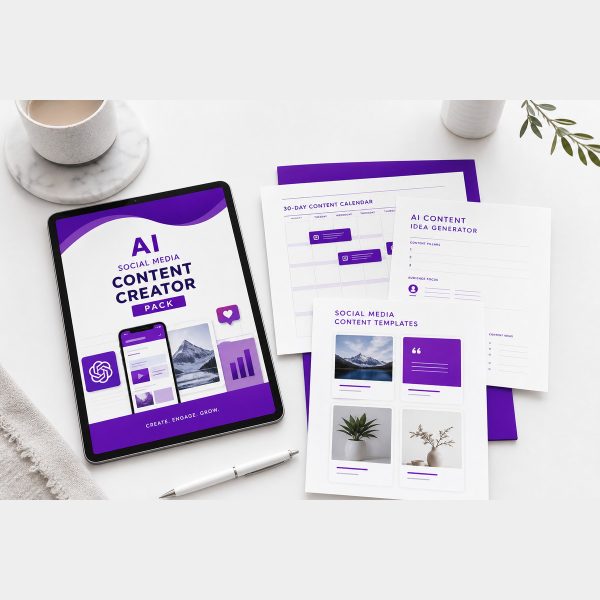
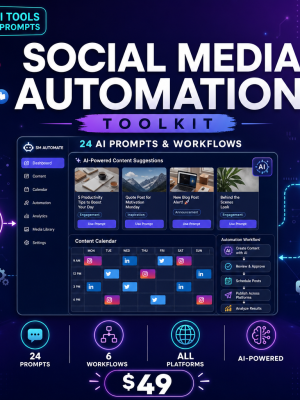
Generic AI prompts produce generic social captions that read the same on every platform. The AI Social Media Content Creator Pack is built around platform-specific content templates and caption generators instead, so what you generate for Instagram does not read like what you generate for LinkedIn.
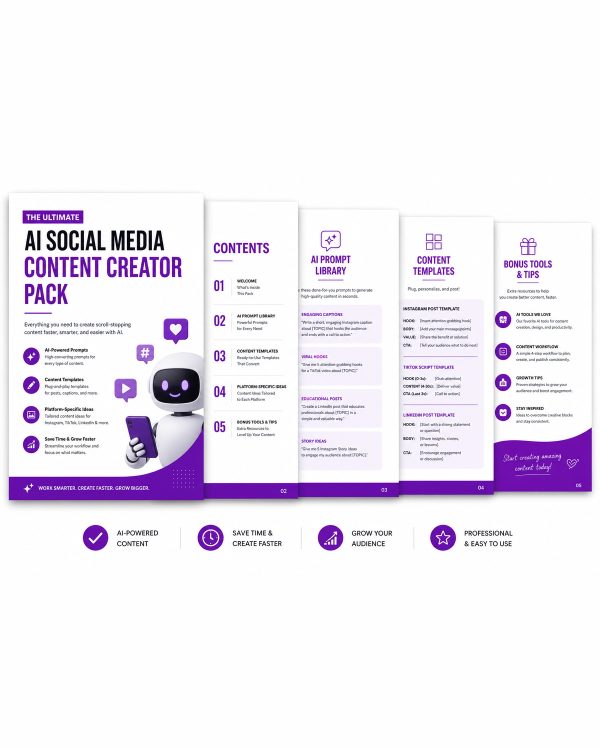
The pack opens with an introduction to how the prompt system works and a getting started section, then moves into the platform-specific templates and caption generators that make up the bulk of the collection, so you can move from a content idea to a ready-to-post caption in minutes.
Key Features
- Complete AI Social Media Content Creator Pack PDF — the full prompt collection organized by use case.
- Introduction to the AI Social Media Content Pack — explains how the prompts are structured before you use them.
- Getting Started section — how to adapt prompts to your brand voice and niche.
- Platform-Specific Content Templates — prompts tuned for how each platform’s content actually performs.
- Caption Generators for Each Platform — ready-to-adapt prompts for writing captions per platform.
- Editable TXT version — copy any prompt directly into your AI tool of choice.
- Quick Reference Card (bonus) — a fast lookup sheet for the prompts you use most.
- Tips & Best Practices Guide (bonus) — how to keep AI-generated captions from sounding generic.
- Quick Start Guide — explains which file to open first and how the pack is laid out.
- Personal and commercial licence — use the prompts for your own brand or client social accounts.
What’s Included
7 files, delivered as one ZIP (PDF, TXT, MD).
- Product/ — AI_Social_Media_Content_Creator_Pack.pdf (the core PDF guide).
- Editable/ — AI_Social_Media_Content_Creator_Pack.txt (plain-text version you can copy into any editor).
- Bonus/ — Quick_Reference_Card.pdf, Tips_and_Best_Practices.pdf.
- Documentation/ — Quick_Start_Guide.pdf, README.md.
- License/ — License.txt.
Who This Is For
- Social media managers — if you produce content for multiple platforms every week.
- Small business owners — if you run your own social accounts alongside everything else.
- Freelance content creators — if you write captions and posts for multiple clients.
- Marketing agencies — if you want a repeatable prompt system across accounts.
- Creators scaling content output — if you want to post more often without spending hours per caption.
Why Choose This Product
- Platform-specific, not generic — templates and caption generators are built per platform instead of one-size-fits-all prompts.
- Covers the full workflow — from getting started to content templates to caption generation, in one organized pack.
- Copy-paste ready — the TXT file lets you drop prompts into your AI tool without retyping.
- Commercial licence included — use the prompts across client accounts as well as your own.
How To Use
- Unzip the download and open Documentation/Quick_Start_Guide.pdf first.
- Read the introduction and getting started sections in Product/AI_Social_Media_Content_Creator_Pack.pdf.
- Open the Editable/ TXT file and copy the platform-specific prompt you need.
- Fill in your brand, topic or product details before running the prompt in your AI tool.
- Use Bonus/Tips_and_Best_Practices.pdf to refine captions that come back sounding too generic.
Frequently Asked Questions
What format are the files? One ZIP containing 7 files: a core PDF guide, two bonus PDF resources, a Quick Start PDF, a plain-text (TXT) editable version, a README (MD) and the licence (TXT).
Can I edit the files? The TXT version in the Editable folder can be opened in any text editor or word processor and rewritten, reordered or reformatted freely. The PDF guides are formatted for reading and printing and are not meant to be edited directly.
What software do I need? A PDF reader, a plain-text editor for the TXT file, and an AI chat tool such as ChatGPT to run the prompts. No design software is required.
Is this for personal or commercial use? Both. The licence covers personal and commercial use, so you can use the material for your own goals or inside a business you run. Reselling, redistributing or repackaging the files themselves is not permitted.
What is the refund policy? This is a digital download, so it is non-refundable once the files have been downloaded. If a file is missing or will not open, contact us and we will send a replacement.
Which platforms are covered? The pack includes platform-specific content templates and caption generators for the major social platforms, described in the introduction section of the PDF.
Do I need a specific AI tool to use these prompts? No. The prompts are plain text and work with ChatGPT or most other AI chat tools that accept written instructions.
Will the captions sound like AI wrote them? The Tips & Best Practices guide covers how to adjust tone and wording so captions read naturally in your own brand voice.
Bonus Materials
Two extras are included at no additional cost: the Quick Reference Card, a fast lookup sheet for the platform prompts you reach for most, and the Tips & Best Practices Guide, which explains how to keep AI-generated captions sounding like your brand instead of a generic bot.

Reviews
There are no reviews yet.